
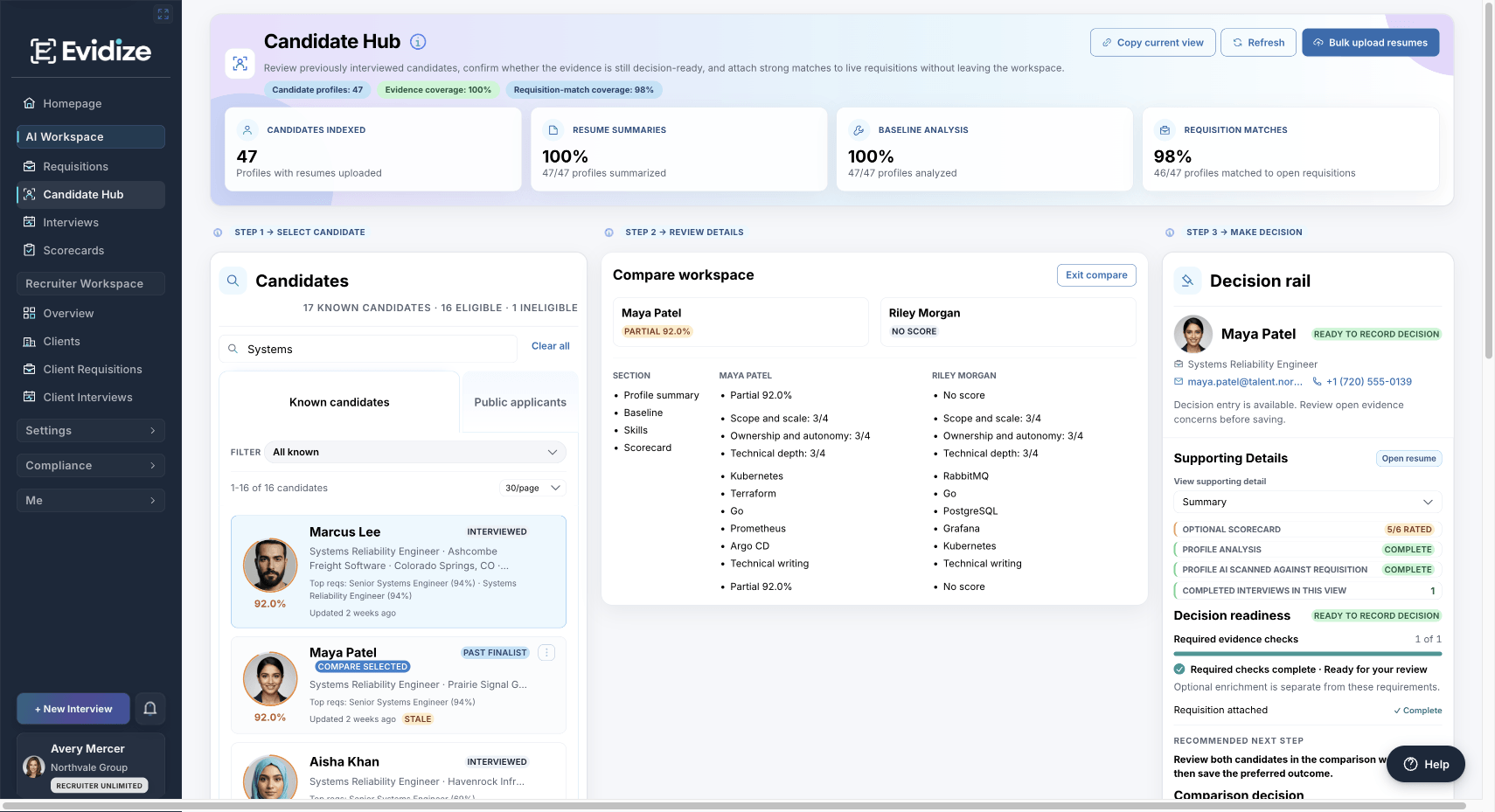
01 · Brief
Keep the client’s criteria
Connect the client record and requisition so the team assesses the role the client actually needs to fill.
For recruiting agencies
Keep client requirements, interview evidence, scorecards, and recruiter follow-up connected—from the brief to a recommendation you can explain.
Explore a prepared example. Sharing your own workflow is optional.
One client search
Agree what the role requires, collect evidence against those requirements, and make the remaining questions visible before the client’s next conversation.
01 · Brief
Connect the client record and requisition so the team assesses the role the client actually needs to fill.
02 · Interview
Use role-specific questions and scorecards. Keep supported interview observations available for human review.
03 · Review
Compare available evidence, clarify gaps, and record the recruiter’s rationale and follow-up.
04 · Report
An authorized administrator can prepare an available organization- or client-scoped report package.
A useful starting point
Our sample follows a fictional Systems Engineer search. It connects the role criteria, supporting evidence, open questions, and recruiter’s proposed next step.
Illustrative review brief with fictional information. It is an example for your team to adapt, not a product export or a customer result. Open it in a browser to read or print.
Inside the sample
Across your client portfolio
See the client, role, assigned manager, openings, and linked interviews. Open the relevant record with its context intact.
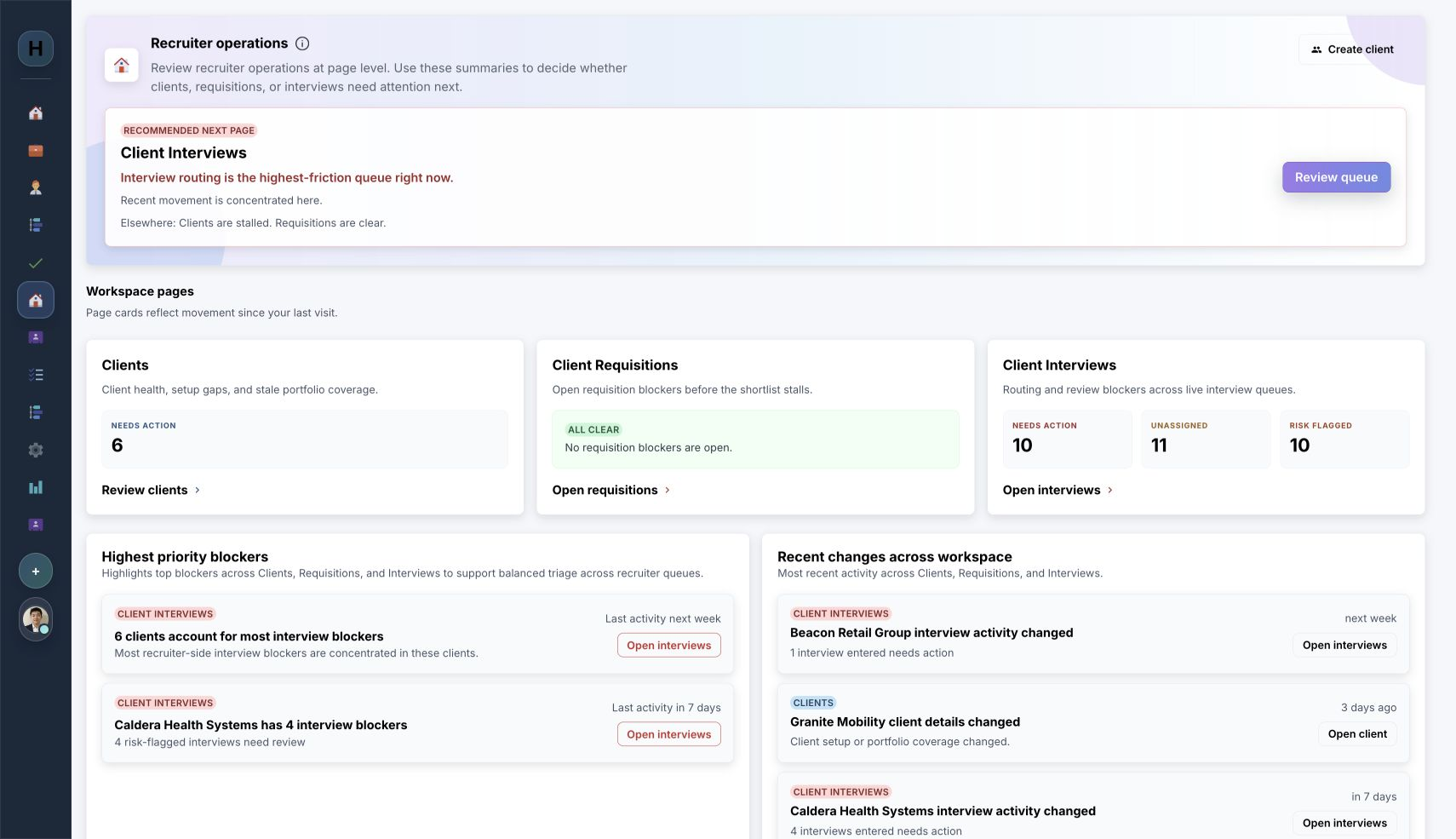
Client Requisitions shows Beacon Retail Group’s two ready, published roles with assigned managers and linked interview activity.
Choose for your client roster
All three recruiter plans include client controls, scorecards, Candidate Hub, and permitted reporting. Confirm live entitlements and any subscription-specific limits during evaluation.
Essentials
For client searches using individual résumé intake and requisition management.
Growing firms
For client searches using individual résumé intake and requisition management.
Full platform
Includes bulk résumé intake and ATS workflows.
Client limits shown are catalog defaults and may be overridden for a subscription. “Unlimited” refers to the default client portfolio cap; AI usage still has a contracted allowance.
Reporting and responsibility
Authorized organization or platform administrators can prepare permitted CSV or PDF packages for the organization or a selected client.
Available sections, privacy controls, fields, history, and export access depend on the plan, signed-in role, and live entitlement. Recruiters and the hiring organization assess the context and own every candidate decision.
Explore reporting and governanceBefore you decide
The current catalog gives Recruiter Small a default limit of 10 clients and Recruiter Medium a default limit of 50. Recruiter Unlimited has no default catalog client cap. An individual subscription can override its limit, so confirm the intended capacity and live entitlement during a demo.
No. A client record is context inside the agency’s recruiter organization; it does not provision a separate client tenant, portal, or external client login. Access to product records remains governed by the agency organization, the user’s role, and the relevant requisition or session permissions.
No. The platform can organize role-fit evidence, verification gaps, scorecards, and supported screening observations, then surface the queue that needs attention. Recruiters and the hiring organization remain responsible for assessing the context, agreeing the recommendation, and deciding who advances.
Authorized organization or platform administrators can build permitted CSV or PDF packages for the organization or a selected client, choose included sections, and use available privacy controls. Export access, included fields, retained history, and other capabilities depend on role, plan, and live entitlement.
One search, end to end
Use a prepared example to explore candidate review, portfolio priorities, report permissions, and the plan your agency would need. Sharing your own client workflow is optional.