
For talent teams and recruiting agencies
Every application. A clearer next step.
Give candidates a branded place to apply. Give your team the screening evidence, interview context, and stage history to move each application forward.
Free 30-minute Teams demo. Use our example or bring your workflow.
From your careers page to the next conversation.
Product walkthroughChoose a view to see what your team can do and what carries into the next step.
Let candidates recognize your organization.
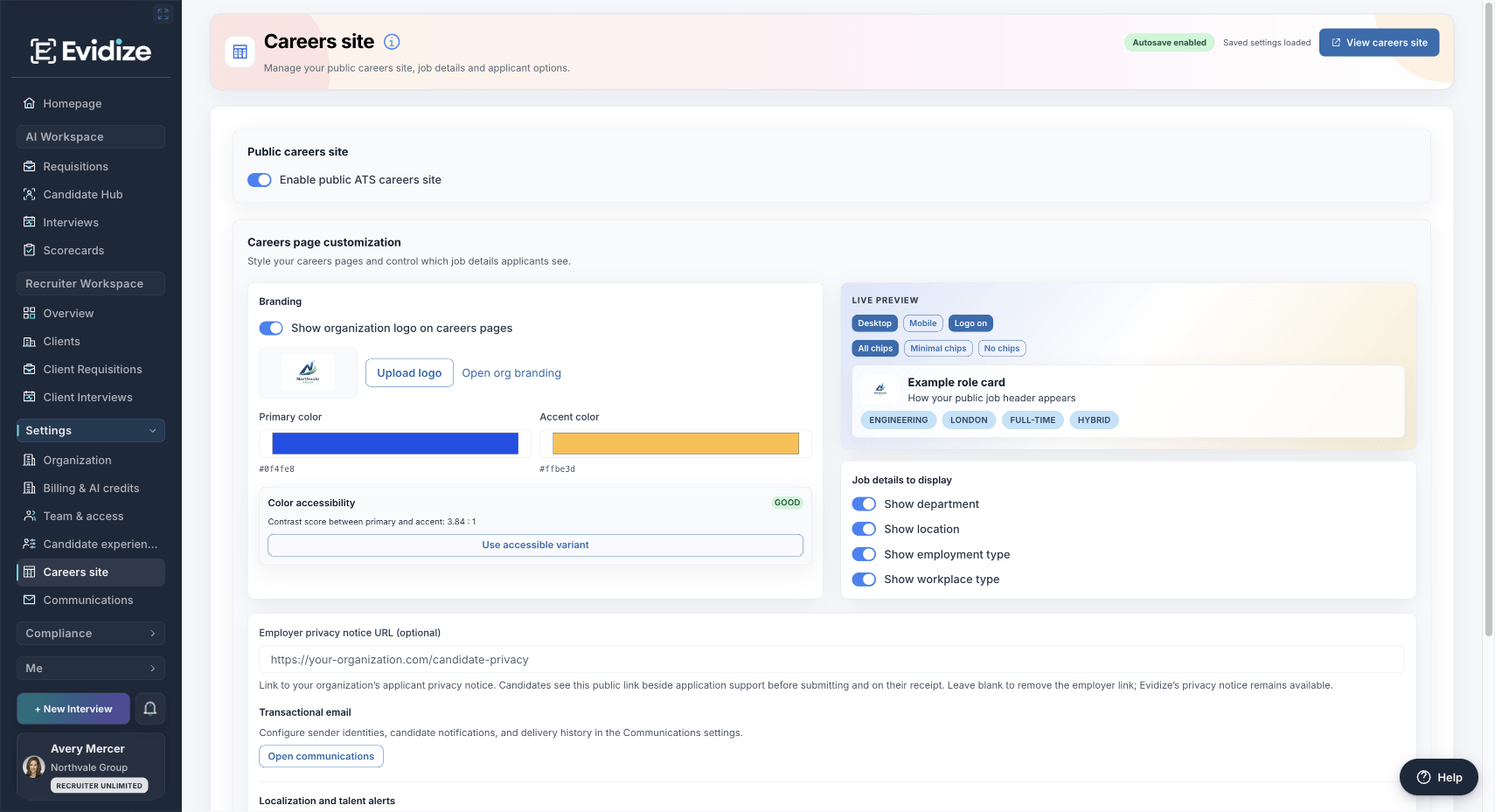
Candidates can review the Customer Success Manager role and begin their application from the same branded page. The form is shown at its starting point.
Give candidates your organization’s branding, a complete role overview and a clear way to begin applying from the same page.
What you work with
- Organization branding
- Complete role overview
- A clear application starting point
What carries forward
A consistent candidate starting point
Your team chooses what applicants see before they open a role.
Collect the answers your reviewers need.
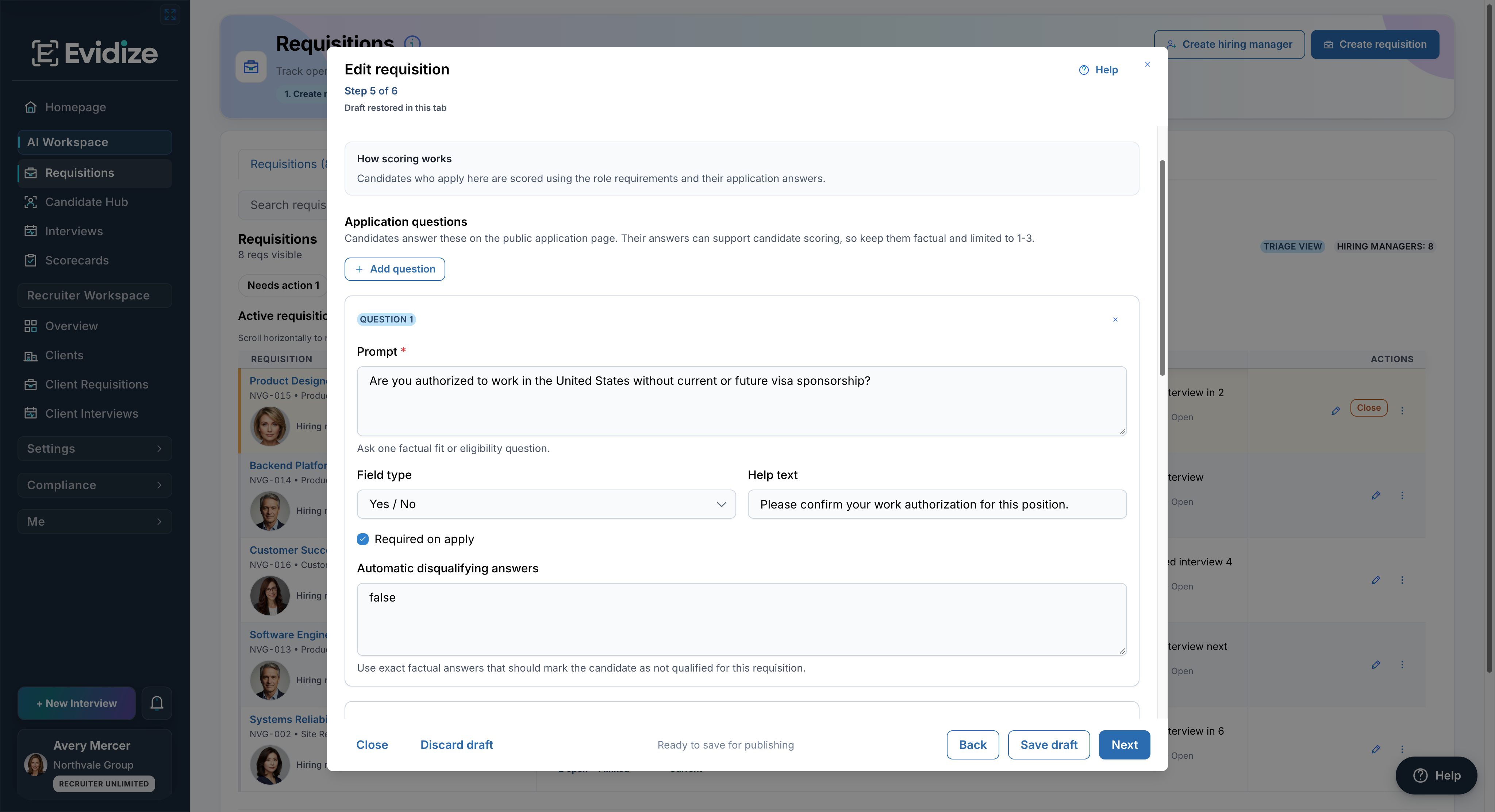
This separate setup example shows a required Yes / No question and an explicit eligibility rule. The employer owns the wording and any disqualifying-answer configuration.
Add optional questions for each requisition, choose an answer type, and decide which answers are required on application.
What you work with
- Role-specific questions
- Answer requirements
- Explicit eligibility settings
What carries forward
A more useful application
Collect relevant context with the résumé. Configured factual eligibility rules are separate from AI fit analysis.
Know what to open next—and why.
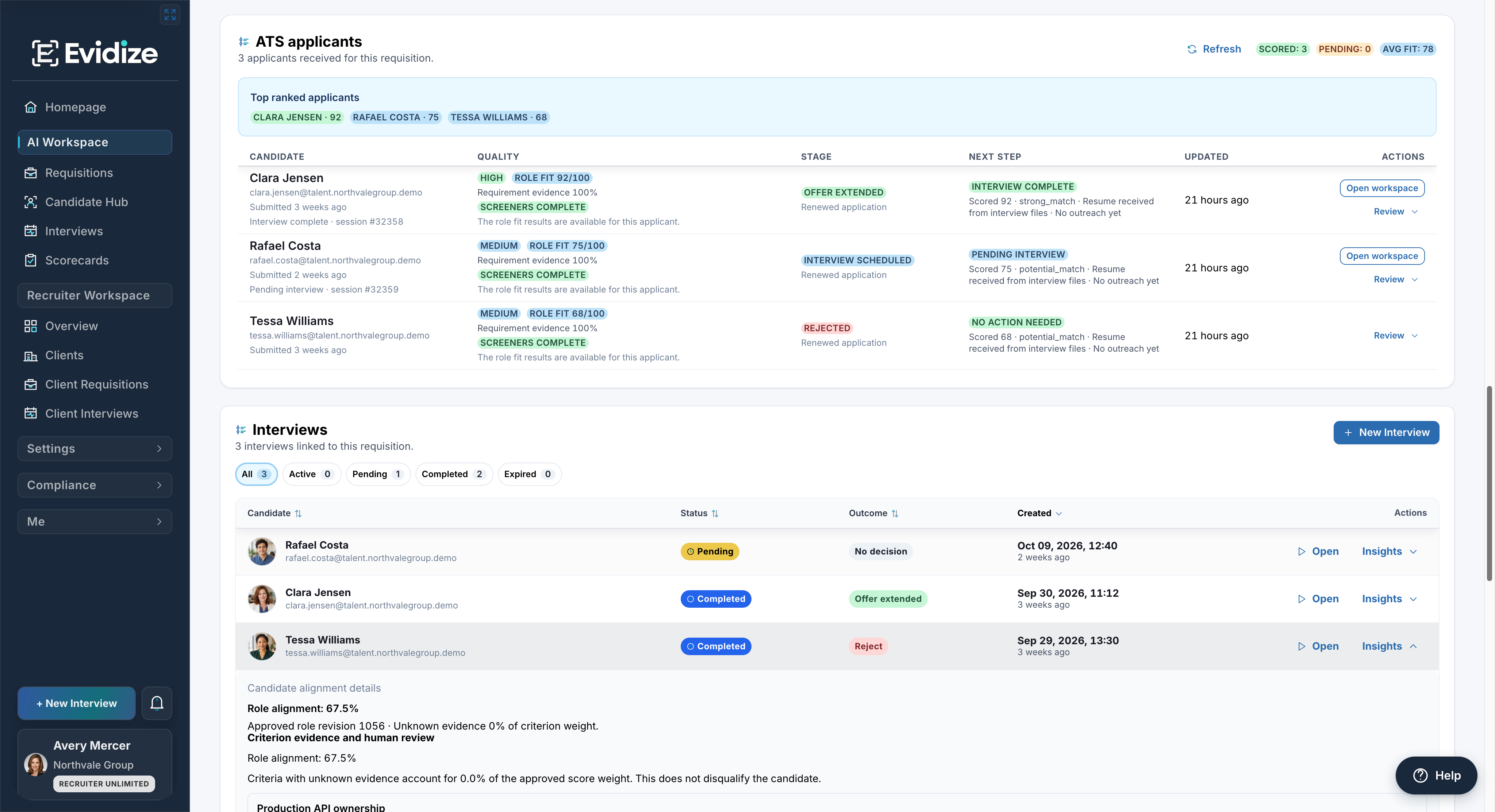
Three applicants for one Backend Platform Engineer role. Clara’s completed interview, Rafael’s pending interview, and each current stage remain visible beside the fit evidence.
Review role-fit evidence, screening completion, current stage, and linked interviews together before opening an applicant’s record.
What you work with
- Role-fit evidence
- Screening completion
- Linked interview status
What carries forward
A review queue with context
Your team can inspect the evidence behind the summary before choosing a next step.
Move the application with its context intact.
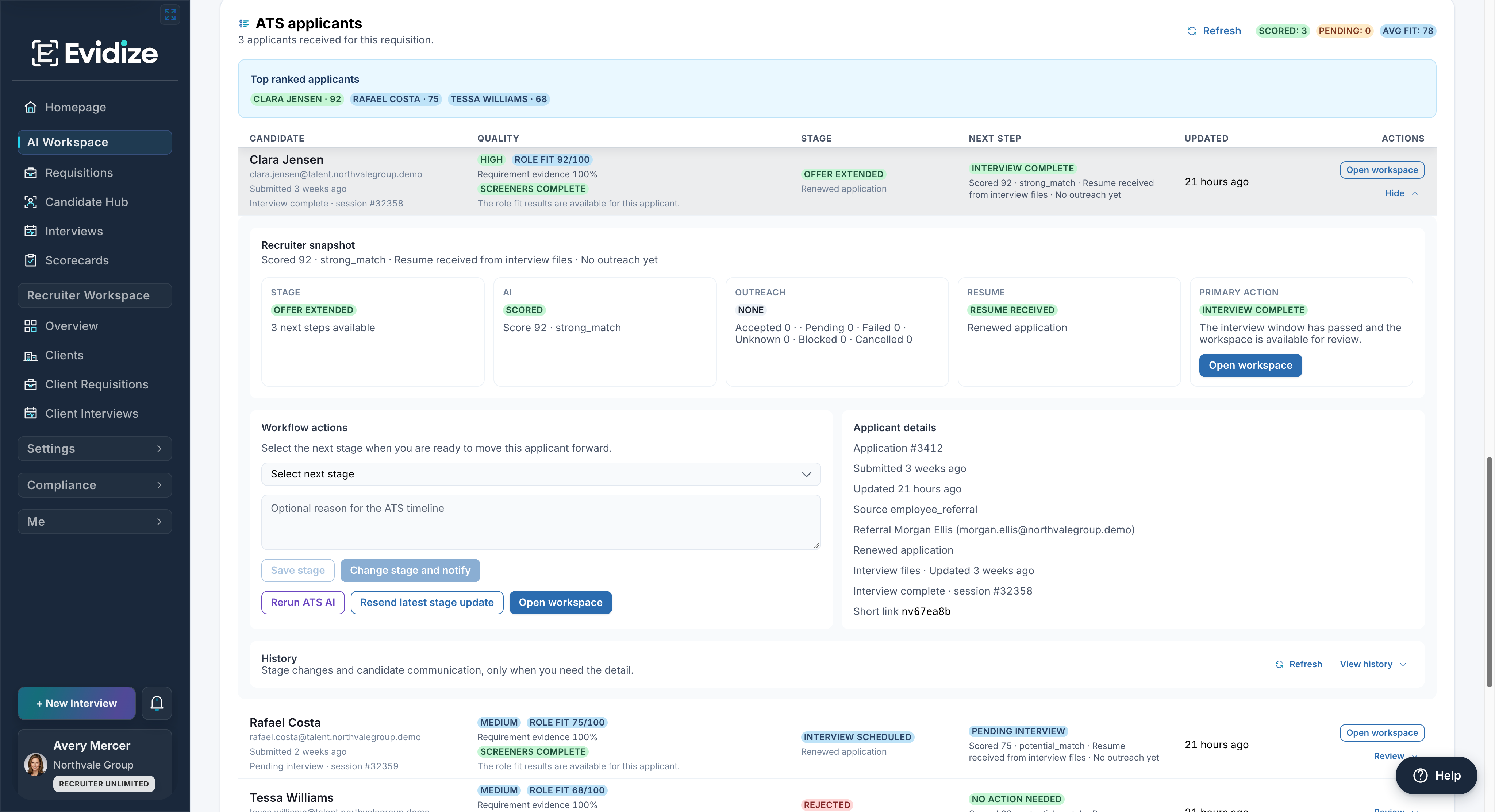
Clara’s current stage is Offer extended. The record shows no outreach yet, stage-change controls, and access to history; it does not claim a message has been delivered.
Open Clara’s record to check the current stage, résumé, interview, and outreach status. Record the next authorized action with a reason.
What you work with
- Current application stage
- Recorded reasons
- Communication history
What carries forward
An accountable next step
Authorized reviewers own progression and can inspect the history behind each action.
Evidence before progression
Keep the reason beside the next step.
A fit summary helps your team decide what to inspect. The application record keeps the evidence, open questions, and available actions in reach.
Inspect the supporting context Review résumé information, screening completion, and linked interview evidence before relying on a summary.
Check the communication history Read recorded stage changes and message status before following up. Email-service acceptance does not establish inbox delivery or reading.
Keep progression accountable AI fit analysis supports review. Authorized people choose application stages and employment outcomes; configured factual eligibility rules remain explicit.
Your organization owns publication, screening criteria, candidate communication, accommodations, and hiring decisions.
Before you get started
Make it work for your team.
See the setup, responsibilities and plan requirements before you decide.
Compare plans and capabilitiesCan we use our own careers branding?
Yes. Configure your organization logo, primary and accent colors, visible job details, and optional employer privacy notice link. Desktop and mobile previews help you check the experience before publication.
Does every role need screening questions?
No. Application questions are optional and configured per requisition. Your team chooses the question wording, answer type, required-answer settings, and any explicit factual disqualifying answers. Review those settings for the role before publishing.
Will an AI score automatically reject an applicant?
No. AI fit analysis supports review; authorized people choose the application stage and employment outcome. Separately, employer-configured factual eligibility answers can mark an application as not qualified for that requisition. Your organization is responsible for those explicit rules and for reviewing exceptions.
Can we see what happened to an application?
The applicant record provides stage changes and candidate communication history, including available reasons, timestamps, message statuses, and permitted follow-up actions. A message accepted by an email service is not proof it reached the inbox or was read.
Does this automatically connect to our existing ATS?
These screens show Evidize’s built-in applicant workflow. They do not imply an integration or automatic synchronization with another ATS. We can review your existing tools and the available connection options during the demo.
See it with your team
See your next applicant workflow take shape.
Follow one prepared role from careers setup to applicant review and an accountable next step. Bring your own role if you would like to discuss it.
Book an applicant-workflow demoFree 30-minute Teams demo. Use our example or bring your workflow.