
For teams running remote interviews
Protect the interview. Understand the context.
Screen for signs of disallowed AI use before and during the call. Keep the monitoring result, interview evidence, and reviewer follow-up together.
Free 30-minute Teams demo. Use our example or bring your workflow.
One interview. The context to review it.
Product walkthroughChoose a view to see what your team can do and what carries into the next step.
See what was recorded, in context.
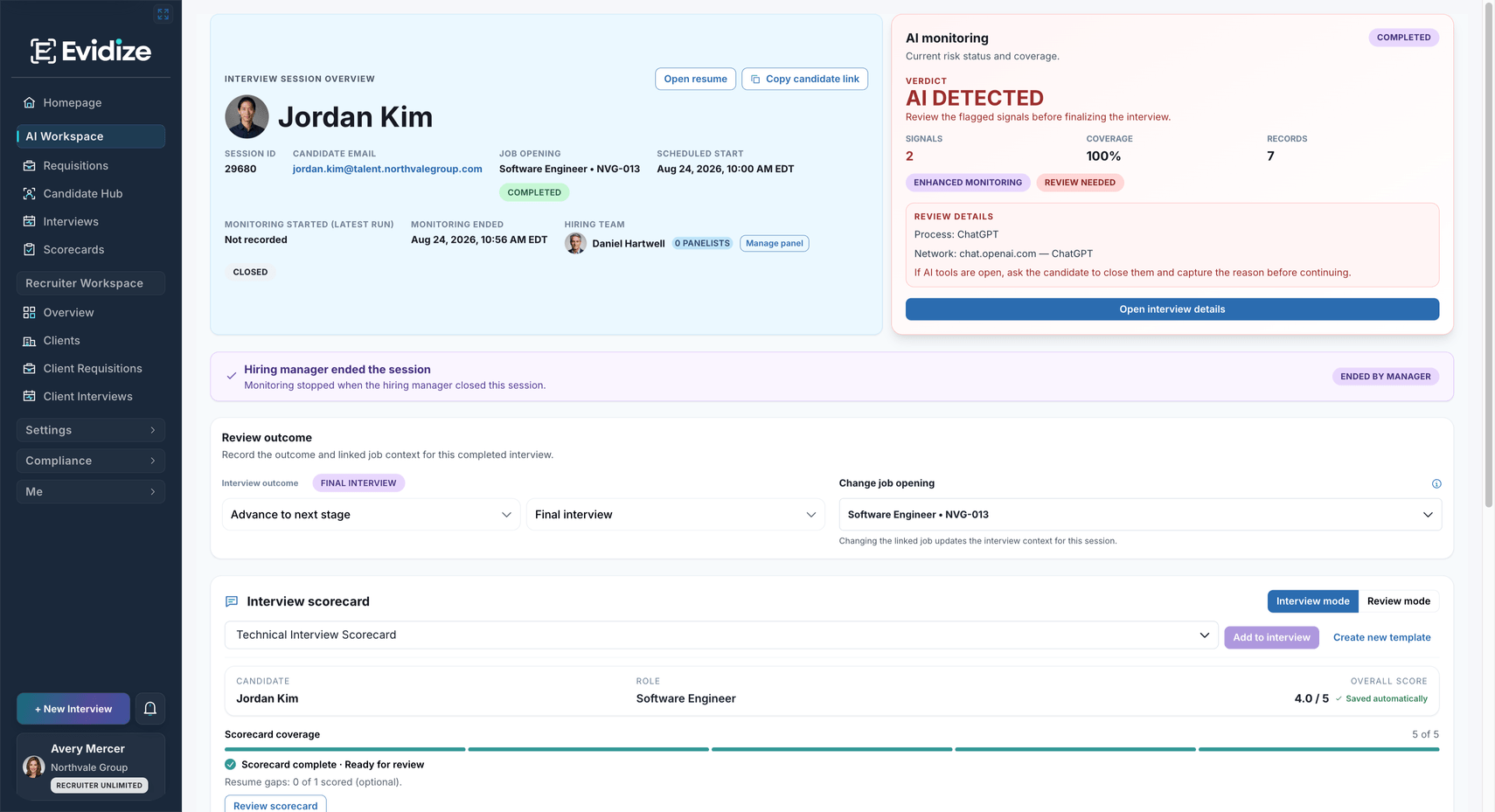
Olivia’s completed interview shows a Clear result and six records, with the candidate, role and next-step context in view.
Open the candidate’s interview to review monitoring status, available records, and role context before deciding what needs attention.
What you work with
- Recorded monitoring result
- Available session records
- Candidate and role context
What carries forward
A result your team can interpret
A Clear result does not guarantee every possible tool or activity was visible. Review the available context and its limits.
Open the detail before drawing a conclusion.
Workflow illustration
-
Authorized reviewer
Read the recorded observations
Inspect the available session findings and when they were recorded before interpreting the result.
-
Authorized reviewer
Check the interview context
Consider your interview policy, the session details and the evidence gathered during the conversation.
-
Interviewer
Clarify and record the next step
Discuss relevant questions with the candidate and keep the reviewer’s reasoning with the interview record.
Review available observations in their interview context. Use relevant detail to frame a question and clarify the circumstances with the candidate.
What you work with
- Available findings
- Review guidance
- Candidate clarification
What carries forward
A considered follow-up
Your organization’s interview policy, candidate explanation, and available evidence guide the reviewer’s response.
Bring the interview evidence into the decision.
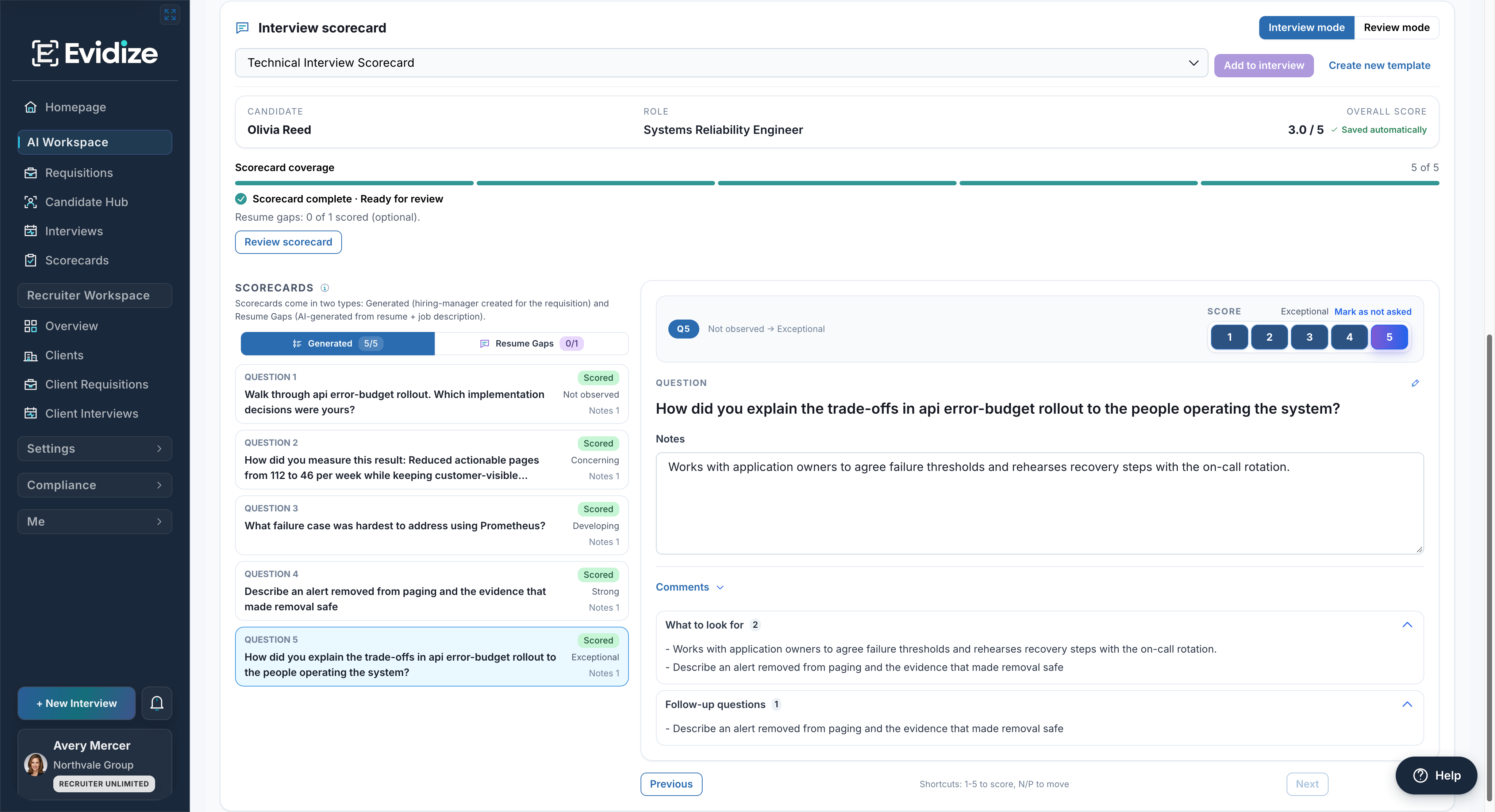
The same interview has five recorded ratings and saved notes. These are demonstration records; the team owns the next step. Scorecards require a supporting plan.
Read Olivia’s completed scorecard, saved notes, and follow-up prompts alongside the monitoring result before recording the next hiring step.
What you work with
- Recorded interview evidence
- Reviewer notes
- Authorized next step
What carries forward
An accountable hiring decision
Screening observations support human review. They do not automatically reject a candidate or decide who advances.
Before interview day
Make the candidate journey clear.
Add protection around the interview your team already runs, with clear expectations and a person responsible for support.
Explain the check Tell candidates which tools are permitted, what the desktop agent checks, and how to prepare before protected meeting access becomes available.
Provide a support route Give candidates preparation time and a contact for incomplete checks, unsupported environments, accommodations, or an alternative process.
Review concerns with context Supported observations depend on the active desktop agent and available checks. Evidize does not record or stream the candidate’s screen.
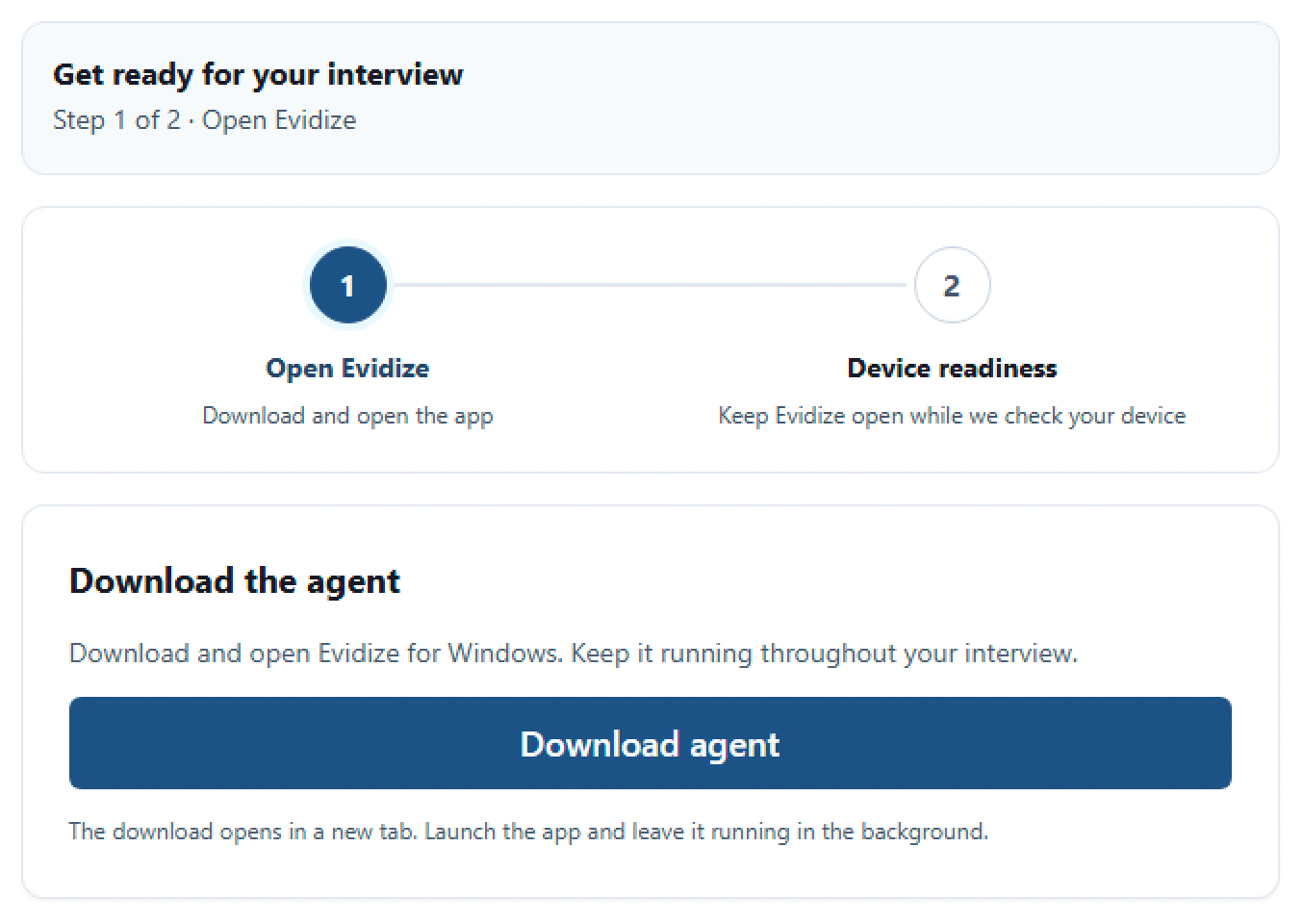
The first setup step provides the Windows download and instructions to open Evidize and keep it running throughout the interview.
No system detects every tool. A signal alone is not proof of intent or an automatic reason to reject a candidate.
Clear responsibilities around the call.
Set expectations before the interview and keep an accountable reviewer involved throughout.
| When | Candidate | Hiring team |
|---|---|---|
| Before | Read the notice, follow preparation instructions, and complete the required check. | Explain permitted tools, software requirements, support, and the accommodation or alternative route. |
| During | Keep the required desktop agent active and follow the organization’s interview policy. | Review available observations and clarify concerns while the context is fresh. |
| After | Clarify questions through the organization’s stated contact route. | Consider the evidence, record follow-up, and decide the next hiring step. |
Before you get started
Make it work for your team.
See the setup, responsibilities and plan requirements before you decide.
Compare plans and capabilitiesWhat happens before the candidate joins the interview?
The candidate receives preparation instructions and completes the disclosed check. Protected meeting access becomes available when the required steps are complete. The hiring organization should communicate its policy, privacy information, and support or alternative route.
What can Evidize flag?
Supported checks surface process and display findings and available connection metadata while the desktop agent is active. Available observations depend on the device, active checks and information recorded during the session. No system detects every tool, and a Clear result is not a guarantee that all activity was visible.
Does a finding automatically reject a candidate?
No. A finding prompts review. An authorized person considers the session context, clarifies questions with the candidate, records follow-up, and decides the next hiring step. Observations support that review; they do not establish candidate intent.
Does Evidize record the candidate’s screen?
No. Evidize does not record or stream the candidate’s screen. Explain the supported observations and their limits in candidate communication, together with the hiring organization’s privacy notice. Read the Evidize Privacy Notice
What if a candidate cannot complete the check?
Provide a clear contact route before the interview. The hiring organization owns exceptions, accommodations, and any alternative process. Confirm the supported desktop environment and readiness instructions during rollout.
Can we keep our existing interview process?
Yes. Evidize adds disclosed checks and protected access around your remote interview workflow. The organizer can start from the open Outlook appointment and retains control of sending it. There is no separate Microsoft Teams add-in today. Explore the Outlook integration
See it with your team
See protection in your interview process.
Walk through the candidate requirements, a recorded result, and the reviewer’s next step. Use our prepared example or bring your current workflow.
Book an interview-protection demoFree 30-minute Teams demo. Use our example or bring your workflow.