
For recruiting operations, privacy teams and authorized reviewers
Make the hiring record easier to review.
Find the acknowledgement, inspect recorded activity, and prepare a scoped report—with the source context and privacy choices in view.
Free 30-minute Teams demo. Use our example or bring your workflow.
From a review question to the right records.
Product walkthroughChoose a view to see what your team can do and what carries into the next step.
Start with the acknowledgement context.
Workflow illustration
-
Authorized reviewer
Find the acknowledgement
Start with the candidate and interview context for the record you need to review.
-
Authorized reviewer
Read the saved notice and timestamp
Inspect the captured notice content, version, acknowledgement time and available integrity metadata.
-
Authorized reviewer
Identify what still needs review
Keep the recorded acknowledgement separate from a compliance conclusion and follow up on missing context.
Find a consent record and review its timestamp, session, notice content and evidence state together.
What you work with
- Acknowledgement time
- Notice context
- Evidence state
What carries forward
A source record to inspect
Use the captured context to answer the review question. Records needing further review remain distinct from complete evidence.
Open the detail behind the event.
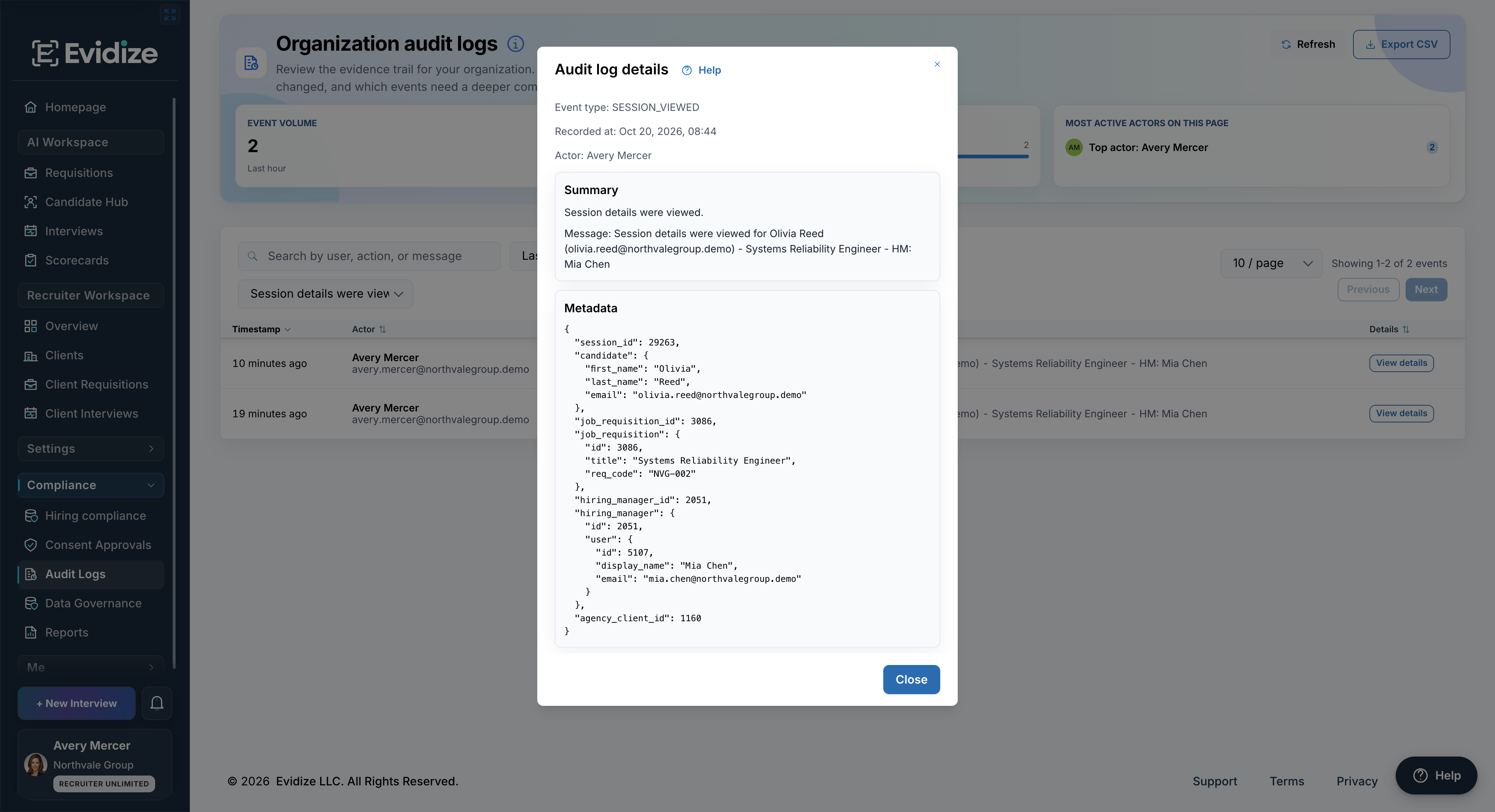
This event records a session view. The message and metadata describe that activity; they do not establish a hiring outcome.
Inspect the recorded actor, action, time and available metadata before drawing a conclusion about product activity.
What you work with
- Recorded actor
- Action and timestamp
- Available event detail
What carries forward
An event in its context
Keep the recorded facts separate from interpretation and identify any missing detail that requires follow-up.
Know what you are about to share.
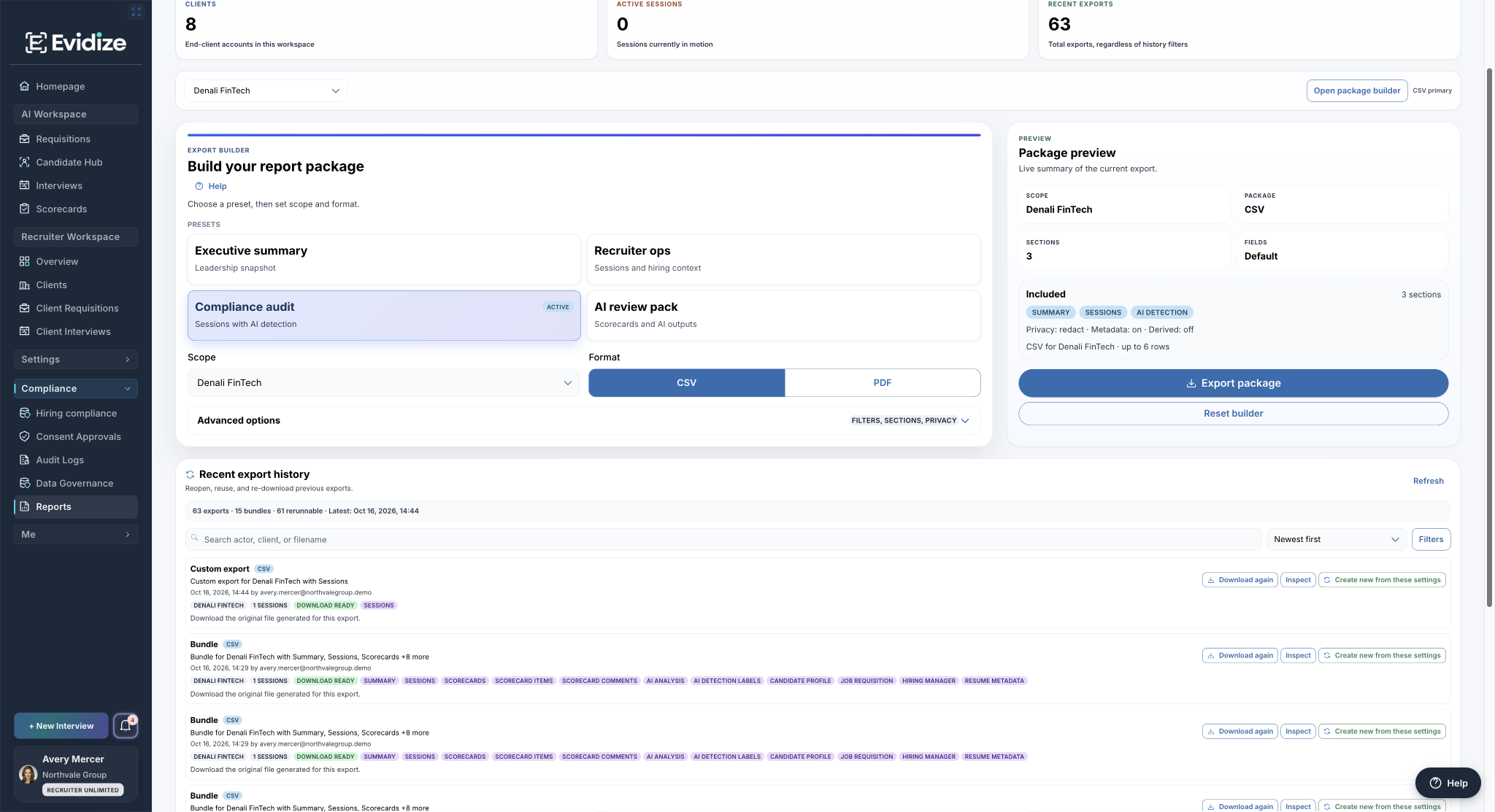
The Denali FinTech preview shows summary, sessions and AI detection sections, with redacted privacy mode and metadata included.
Choose the permitted scope, sections and format, then review the privacy settings in the package preview.
What you work with
- Organization or client scope
- CSV or PDF
- Privacy preview
What carries forward
A deliberately scoped report
Confirm the selected information and intended audience before an authorized user exports the package.
Useful evidence, clear responsibilities
Bring a record question. Leave with context.
Separate views answer different questions, while permissions determine which records and controls a reviewer can use.
Trace the available record Review captured notice content and recorded product events instead of reconstructing them from memory.
Choose the audience and content Check scope, included sections and available privacy options before sharing a report.
Keep interpretation accountable Your organization owns notices, lawful use, retention and employment decisions. Incomplete evidence still needs review.
Records support oversight. A captured acknowledgement or report package does not certify a hiring process as compliant.
Before you get started
Make it work for your team.
See the setup, responsibilities and plan requirements before you decide.
Compare plans and capabilitiesWhat does a consent evidence record show?
The evidence view brings together the acknowledgement time, session context, consent version, captured notice content and available integrity metadata. Evidence states distinguish complete records from records that need review.
Is this the same as Microsoft 365 sign-in auditing?
No. Microsoft Entra ID governs the employee authentication path. Evidize’s audit view records product activity within its own access boundaries. The two sources answer different review questions. Review identity and access
Can we choose what a report contains?
Authorized users can select available presets, scope, included sections, filters, privacy controls and CSV or PDF output. The package preview shows the selected content. Availability depends on role and product access.
Does an evidence package certify our process as compliant?
No. A package helps an authorized reviewer inspect retained product records. Your organization remains responsible for interpreting that evidence, applying its obligations and making employment decisions.
See it with your team
See the records your reviewers can work with.
Walk through a consent record, audit event and scoped report. Bring a review question if useful; preparation is optional.
Book an evidence-review demoFree 30-minute Teams demo. Use our example or bring your workflow.