
For recruiting teams scheduling in Outlook
Protect the interviews you schedule in Outlook.
Start from the open appointment, confirm the interview in Evidize, and add candidate check-in instructions to the invitation. Your recruiter stays in control.
Free 30-minute Teams demo. Use our example or bring your workflow.
From appointment to protected invitation.
Product walkthroughChoose a view to see what your team can do and what carries into the next step.
Find the upcoming interview from Outlook.
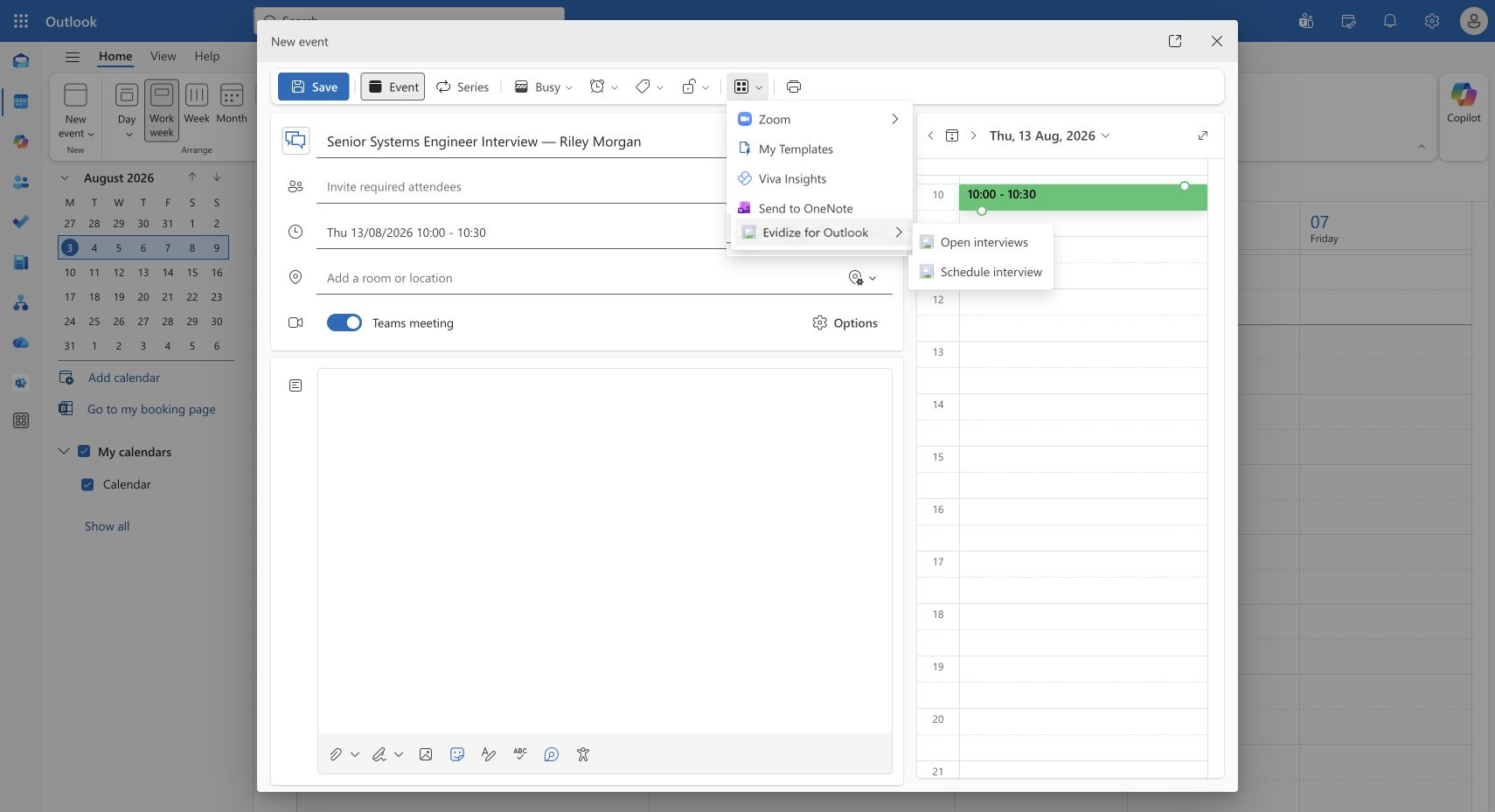
Find Maya’s upcoming Senior Systems Engineer interview from Outlook. The Pending filter keeps its scheduled time and Open interview action together.
Open Evidize’s Interviews view in Outlook, find the candidate and review the scheduled time. Open the interview record when you need its details.
What you work with
- The upcoming interview
- Candidate, role and scheduled time
- The linked interview record
What carries forward
Interview context within reach
Open the existing interview record from the Outlook pane to inspect its context and available next actions.
Carry over context. Confirm what matters.
Workflow illustration
-
From the open appointment
Available interview details
Candidate or attendee details, scheduled time, and an existing meeting URL.
-
Organizer · Evidize
Review and select
Check the details. Choose the requisition, hiring manager, and agency client when applicable.
-
Ready for the invitation
Prepared protected access
Continue with the confirmed interview setup and candidate check-in instructions.
Review the appointment details in Evidize, then deliberately select the requisition, hiring manager, and any agency-client context. Those choices stay with the organizer.
What you work with
- Candidate and meeting details to verify
- A deliberately selected requisition
- The accountable hiring manager and client
What carries forward
A setup the recruiter has reviewed
Appointment context reduces repeated entry while the recruiter confirms the role, people, and interview details.
Review and send through Outlook.
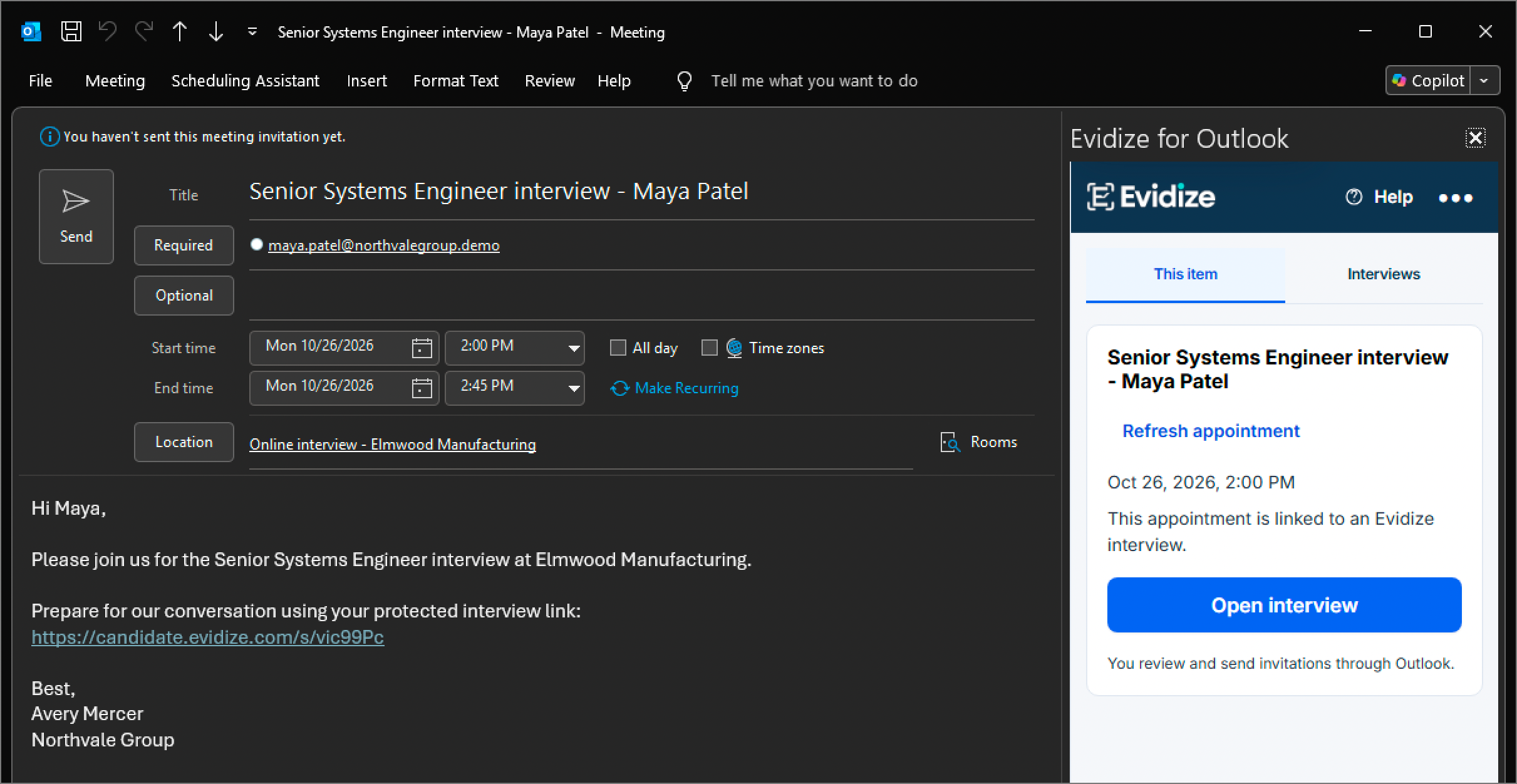
The invitation includes Maya’s protected candidate link, with the linked interview within reach. Review and send the invitation from Outlook when you’re ready.
Review the candidate, appointment time, preparation wording, and protected link in the Outlook draft. Evidize recognizes the linked interview; the organizer chooses whether to edit, save, or send.
What you work with
- The protected link in the appointment draft
- The recognized interview in the Evidize pane
- The organizer’s review and send controls
What carries forward
An invitation your team owns
The pictured draft has not been sent. The organizer reviews the wording, support route, recipients, and schedule before sending through Outlook.
After the invitation
Keep preparation, access, and review connected.
Give candidates a clear route into the interview and keep the resulting session available to the people responsible for follow-up.
A preparation path for candidates Explain permitted tools, the disclosed check, device requirements, and where to ask for support or an alternative process.
Protected meeting access Use the meeting destination already in the appointment. The candidate follows the required check-in and readiness steps before access.
A connected review record Authorized reviewers inspect the session, available observations, interview details, and next actions in Evidize.
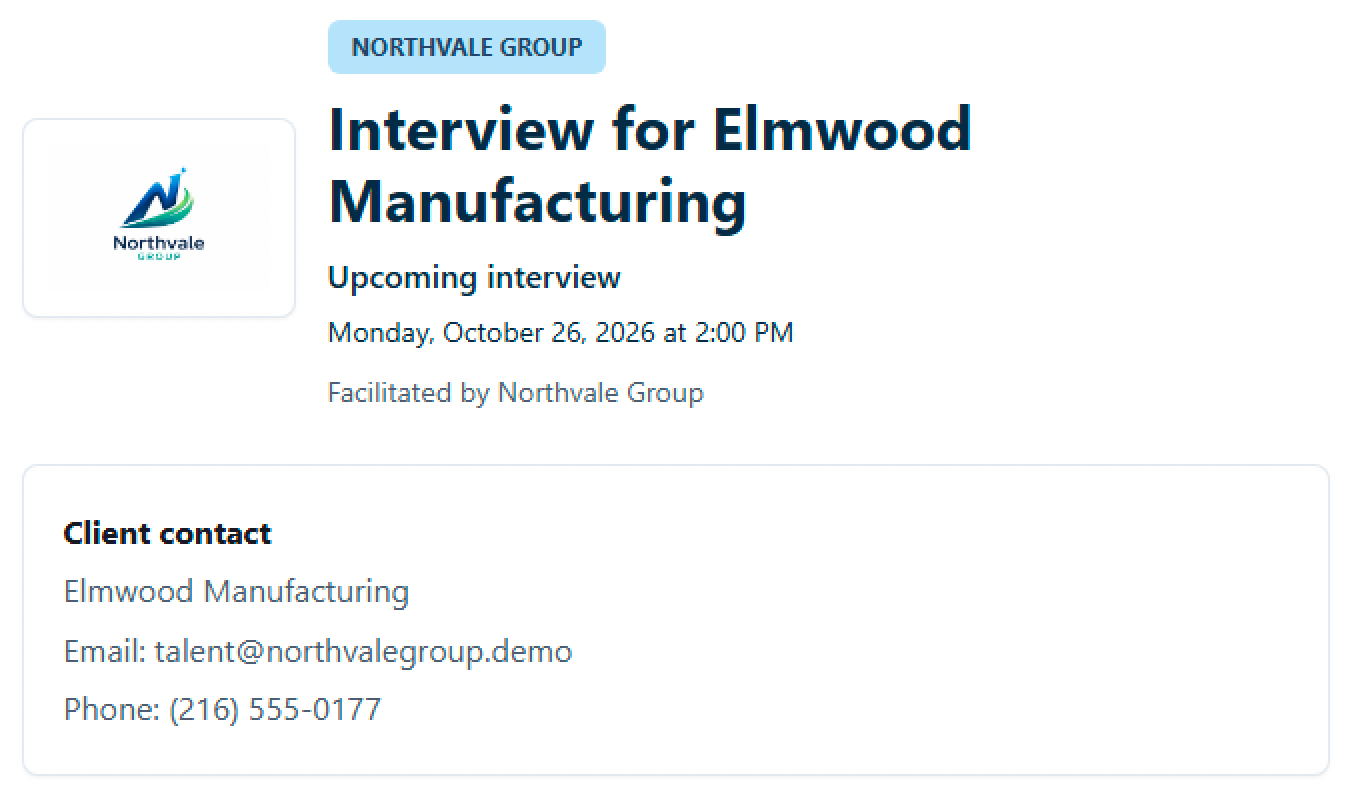
The protected link opens Northvale’s branded welcome page with the interview time and client contact details.
A finding prompts clarification; people decide who advances. The organizer integration is an Outlook add-in. There is no separate Microsoft Teams add-in.
Before you get started
Make it work for your team.
See the setup, responsibilities and plan requirements before you decide.
Compare plans and capabilitiesWhat sign-in does the Outlook add-in require?
Use your Evidize email and password when your organization allows local sign-in, including any required verification code. Organizations that require Microsoft sign-in continue through Microsoft. Your organization’s access rules apply in either case. Review Microsoft identity setup
Can we keep the meeting links we already use?
Yes. The workflow can use the meeting URL already in the appointment, including a Teams link. The organizer integration is an Outlook add-in; there is no separate Teams add-in.
What comes from Outlook, and what do we choose in Evidize?
Available candidate or attendee details, scheduled time, and a meeting URL can come from the open appointment. The organizer checks those details and selects the requisition, hiring manager, and any agency-client context separately in Evidize.
Does Evidize send the invitation automatically?
No. Evidize can place prepared invitation content into the currently open appointment. The organizer reviews it and controls whether to edit, save, or send through Outlook.
Does the add-in read our mailbox or calendar history?
No. The current workflow uses the open appointment. It does not inspect general mailbox or calendar history, contacts, files, or Outlook attachments. Review the documented Microsoft access details with your administrator before rollout. Review Microsoft access details
What does the candidate receive?
The invitation can direct the candidate to a disclosed check-in flow with notice, preparation steps, readiness checks, and protected meeting access. Include your organization’s privacy information and a clear contact for support, accommodations, or an alternative process.
Is this the same integration as employee Microsoft sign-in?
No. The Outlook appointment workflow and employee Microsoft SSO are separate integrations. SSO authenticates approved employees; the Outlook workflow prepares interview context and invitation content. Candidate check-in is separate from employee SSO. Review Microsoft sign-in and access
See it with your team
See an Outlook interview from setup to review.
Walk through the organizer handoff, candidate preparation, and reviewer follow-up. We’ll cover the Outlook environment and setup responsibilities with your team.
Book an Outlook demoFree 30-minute Teams demo. Use our example or bring your workflow.