
For recruiters, hiring managers and recruiting operations
See the evidence behind your next hiring decision.
Compare candidates, guide interviews and review AI-use concerns—with role requirements, evidence and the next human decision connected.
Free 30-minute Teams demo. Use our example or bring your workflow.
Choose the hiring task you want to improve.
Product walkthroughChoose a view to see what your team can do and what carries into the next step.
Put the evidence side by side.
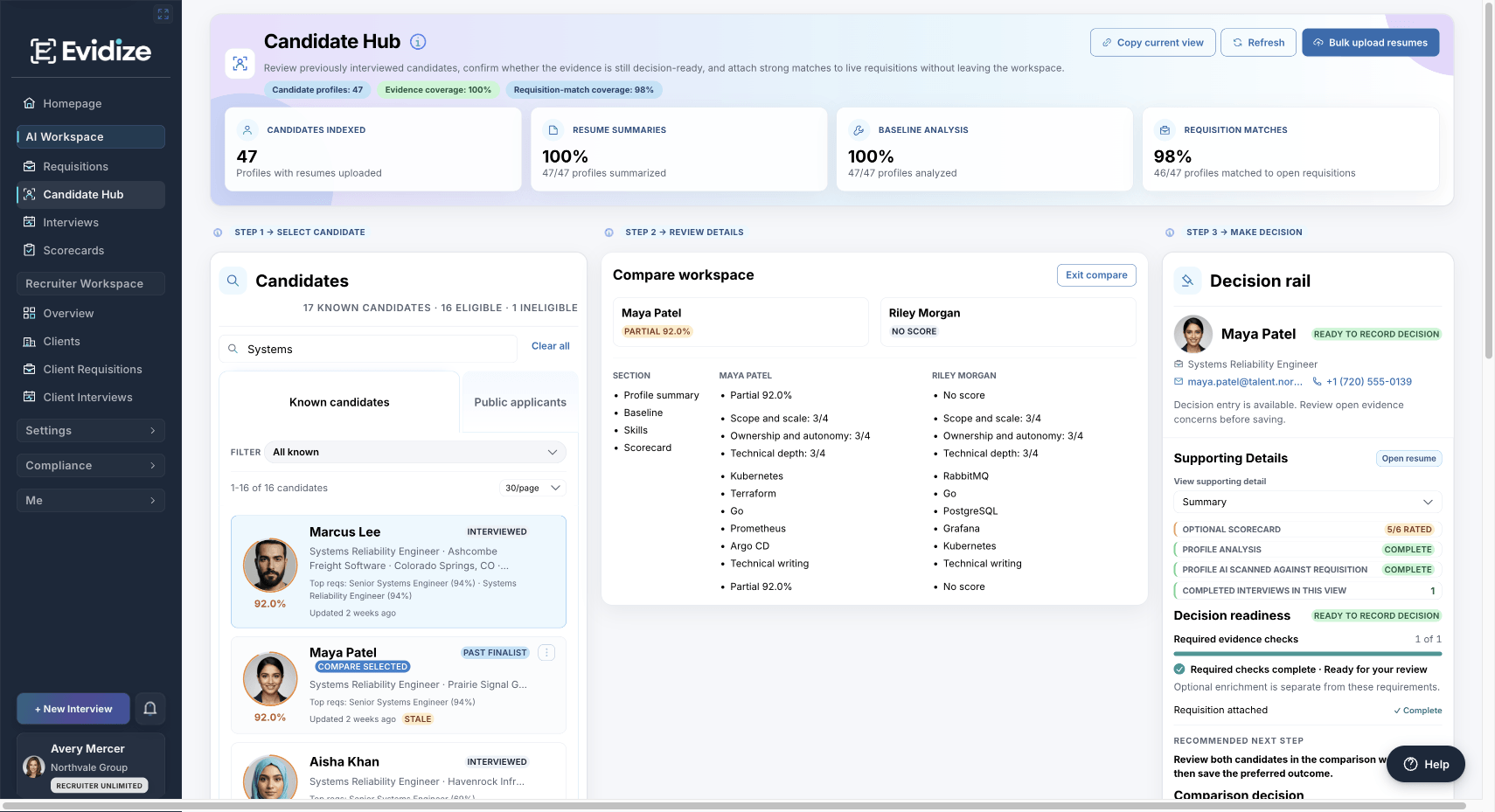
Camille and Adrian appear in one comparison, with the supporting record and reviewer-owned decision controls in reach.
Compare experience, skills and available scorecard evidence, then decide which questions still need an answer.
What you work with
- Role criteria
- Candidate evidence
- Interview history
What carries forward
A shortlist you can explain
Keep the strengths, gaps and reasoning behind the next step together. A score does not make the hiring decision.
Give the conversation a shared purpose.
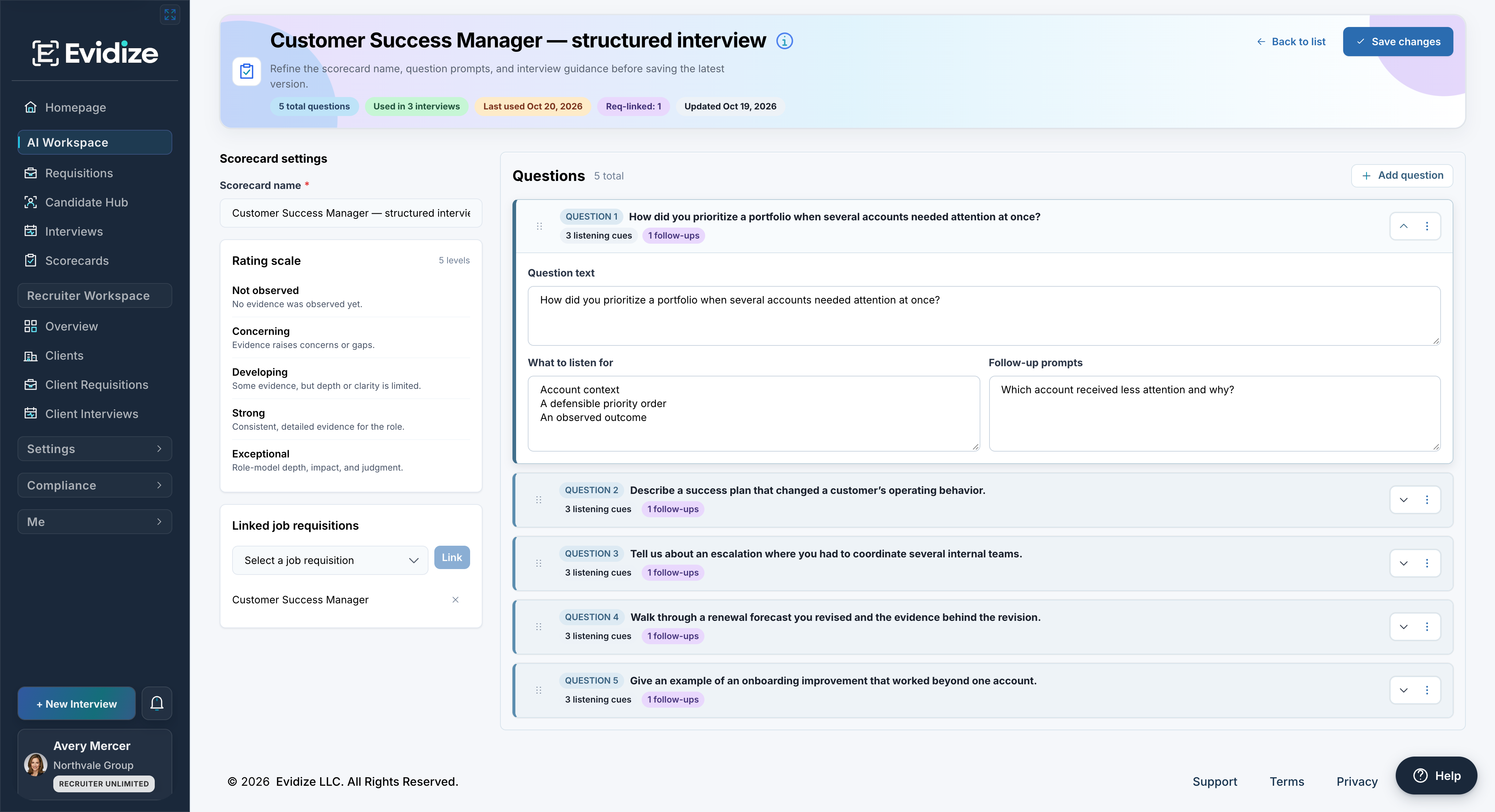
The Customer Success Manager template turns the same role into questions, listening cues and editable guidance.
Prepare role-specific questions, listening cues and follow-ups, with a common rating scale for the debrief.
What you work with
- Editable questions
- Listening cues
- Shared rating guidance
What carries forward
Evidence the team can discuss
After the conversation, use saved notes and question-level ratings to understand the reasons behind each reviewer’s assessment.
Understand the record before the next step.
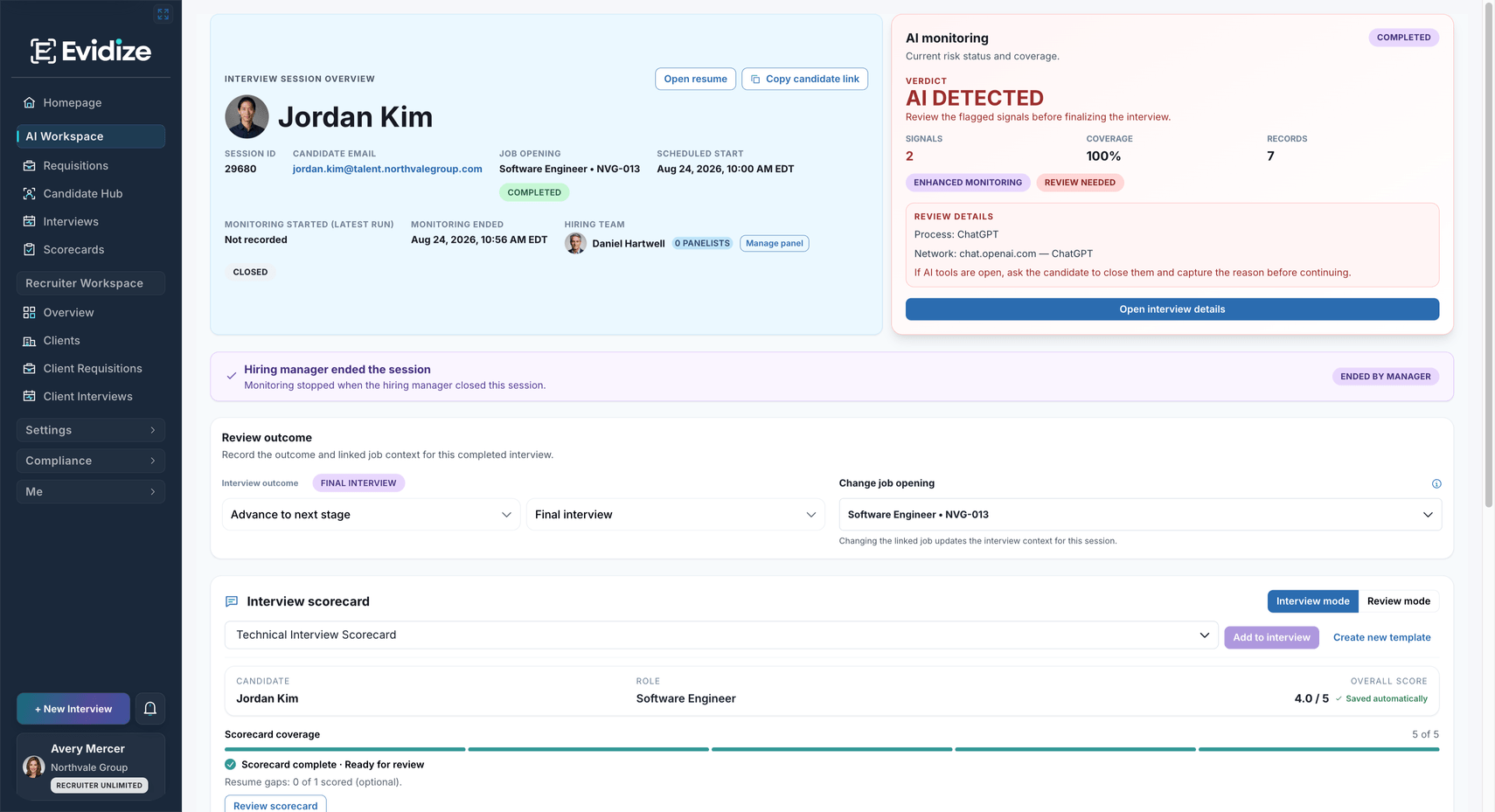
Olivia’s completed interview shows a Clear result and six records. The hiring outcome remains separate and has not been selected.
Review supported monitoring results alongside the interview, candidate and role before choosing an appropriate follow-up.
What you work with
- Disclosed candidate checks
- Recorded observations
- Human follow-up
What carries forward
A concern with context
Signals inform review; they do not establish intent. Your team handles exceptions and decides what happens next.
See the applicant and the work ahead.
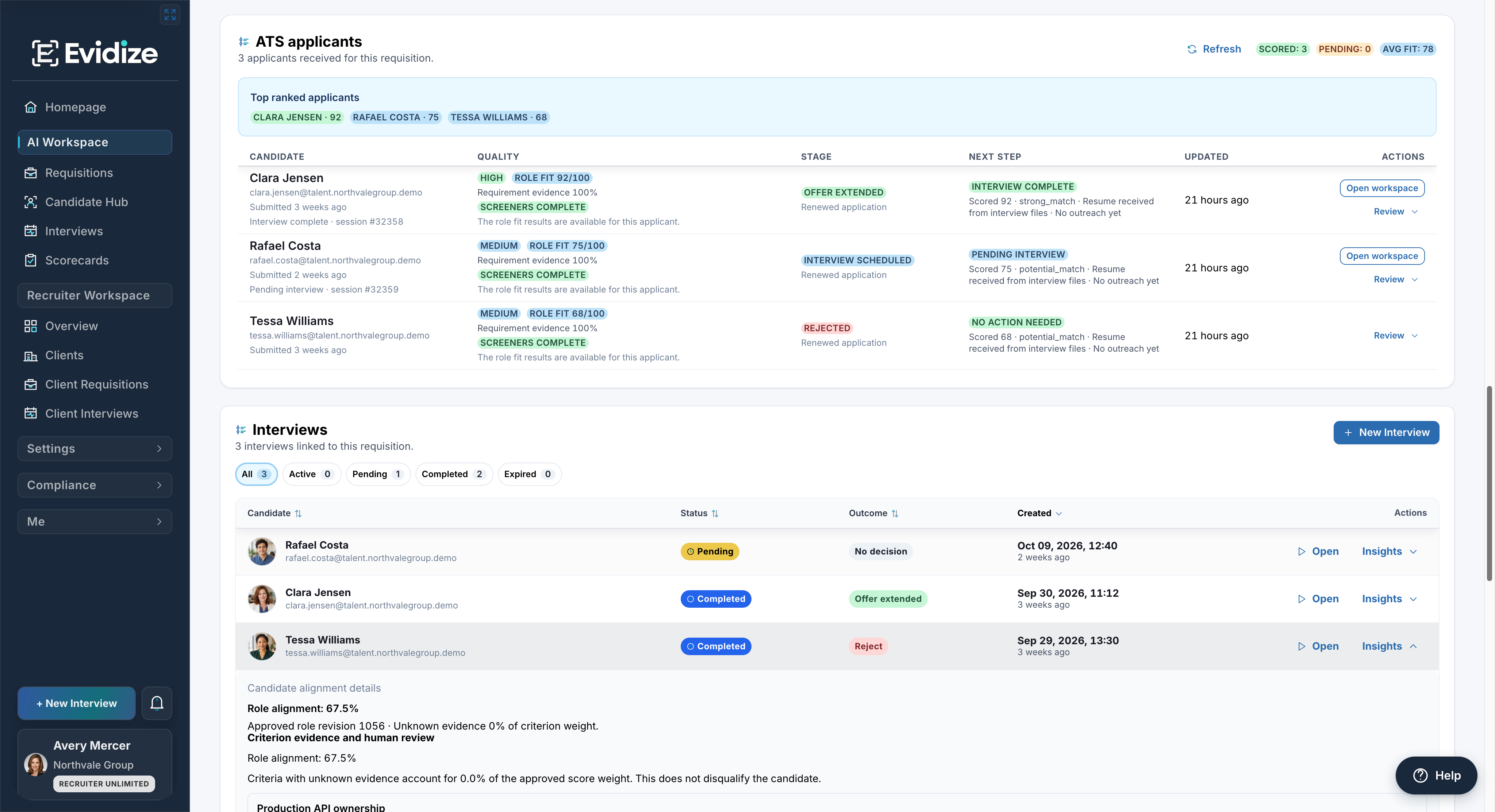
The requisition connects each applicant’s evidence and current stage with the linked interview and available review actions.
Connect application status, screening evidence and linked interviews in the context of the requisition.
What you work with
- Branded careers pages
- Application questions
- Applicant history
What carries forward
A clearer next action
Review the available evidence before an authorized team member updates the applicant’s stage or follows up.
Plan access at a glance
Find the capability your team needs.
See what each capability does and which plans include it. Open its workflow for product detail.
| Capability | What your team can do | Included in |
|---|---|---|
| Interview AI-use detection | Keep the interview concern, what was checked, and the next human follow-up together. | Every plan |
| Interview scorecards | Give interviewers shared role-specific questions and scoring guidance, with room to record the evidence behind each rating. | Core+ · All Recruiter plans |
| Résumé analysis and Candidate Hub | Bring résumé strengths, interview history, open questions, and past outcomes into one place. | Core+ · All Recruiter plans |
| Requisition management | Keep role requirements, success measures, and screening questions together so every reviewer evaluates the same role. | Every plan |
| Compliance reports and audit exports | Review activity and create permitted reports using the privacy options available to the signed-in user. | Core+ · All Recruiter plans |
| Bulk résumé upload | Upload supported files in a batch, then review the resulting profiles and summaries together. | Enterprise · Recruiter Unlimited |
| ATS workflows | Where included in your plan, manage applicant progress without losing the hiring context behind each decision. | Enterprise · Recruiter Unlimited |
| Client portfolio controls | See which clients need attention and keep their open roles, candidates, interviews, and reports together. | All Recruiter plans |
Before you get started
Make it work for your team.
See the setup, responsibilities and plan requirements before you decide.
Compare plans and capabilitiesWhere should our team start?
Choose one task: compare candidates for a role, prepare structured interviews, review AI-use concerns or manage applicants. The demo can focus on that task using prepared examples. Bringing a role brief is optional.
Do we need to replace our ATS?
You can evaluate interview protection, scorecards and candidate evidence alongside your existing recruiting process. The included ATS workflow is an option where your plan supports it. Confirm any required integration or data transfer during the demo.
Can we use it with Outlook and Microsoft 365?
The Outlook add-in supports the protected-interview workflow, and Microsoft 365 sign-in has its own configuration requirements. Review your administrator access, tenant setup and intended workflow before rollout. Explore the Outlook workflow
Can recruiting agencies keep client work separate?
Recruiter plans include client portfolio controls for client-specific requisitions, candidate work and permitted reporting. Client capacity, credits and access depend on the selected plan and the signed-in user’s permissions. Explore agency workflows
What evidence can authorized reviewers export?
Available reporting controls let authorized users select a preset, scope, sections, format and privacy options. Check the package preview before export; a report supports review and does not certify compliance. Explore hiring governance and evidence
See it with your team
Choose one hiring task. See the next step.
Explore the candidate comparison, interview guidance or protection review that matters to your team, then discuss setup and plan fit.
Book a product demoFree 30-minute Teams demo. Use our example or bring your workflow.