01
Protect the interview journey
Follow the candidate experience from a clear pre-interview check through protected interview access and fair follow-up.
Product walkthrough
Walk through a candidate comparison, inspect the interview questions and scorecard behind it, and understand what setup would require for your team.
We can use a prepared example. Sharing your own role or workflow is optional.
A useful walkthrough
We will shape the conversation around the outcomes that matter to your team, with equal time for interview integrity and hiring intelligence.
01
Follow the candidate experience from a clear pre-interview check through protected interview access and fair follow-up.
02
See how authorized reviewers understand what needs attention, decide what to confirm, and keep the final decision with people.
03
Explore shared role criteria, structured scorecards, candidate comparison, and one place to review the candidate story.
Every walkthrough includes the practical setup, plan, and access requirements for the workflow you are evaluating. Your team remains responsible for hiring decisions.
An example you can inspect
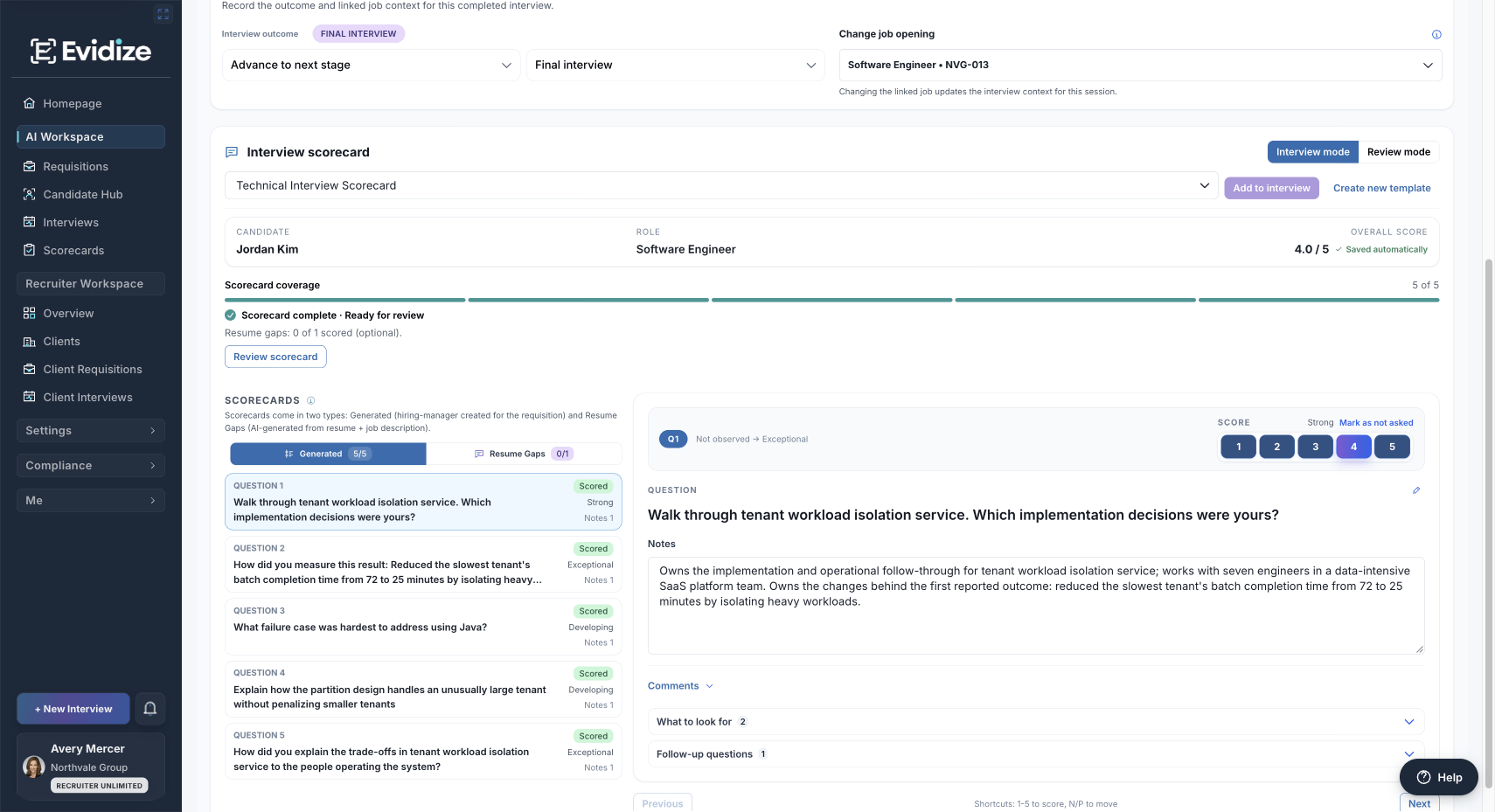
Explore questions, reviewer ratings, and supporting notes in a completed demonstration scorecard. The walkthrough explains both what the record tells you and what still needs judgment.
No preparation is required. We can use a prepared example. You may bring a role brief or describe a workflow if you want the conversation tailored. Do not send candidate records in a demo request.
Yes. Choose the workflow above. You can focus on candidate evidence, scorecards, interview protection, Outlook, agency operations, or identity and governance.
Start with the person evaluating the workflow. IT or privacy colleagues can join when those questions matter. Confirm the duration and agenda when arranging the meeting; a full stakeholder group is not required to start.
Send the prepared email. The team will coordinate the topic and a time with you; opening the email draft alone does not send a request. You can then decide whether the workflow and setup fit your team.
Start with one workflow
Explore a prepared example before deciding how Evidize would fit your team.