01
Protect the interview journey
Follow the candidate experience from a clear pre-interview check through protected interview access and fair follow-up.
Product walkthrough
Walk through a candidate comparison, inspect the interview questions and scorecard behind it, and understand what setup would require for your team.
We can use a prepared example. Sharing your own role or workflow is optional.
Your 30-minute Teams demo
Select an available time and tell us what you want to improve. Microsoft Bookings will email your confirmation and Teams link.
Open booking page separately · Email sales@evidize.com
If the calendar does not load, use the separate booking page or email us.
A useful walkthrough
We will shape the conversation around the outcomes that matter to your team, with equal time for interview integrity and hiring intelligence.
01
Follow the candidate experience from a clear pre-interview check through protected interview access and fair follow-up.
02
See how authorized reviewers understand what needs attention, decide what to confirm, and keep the final decision with people.
03
Explore shared role criteria, structured scorecards, candidate comparison, and one place to review the candidate story.
Every walkthrough includes the practical setup, plan, and access requirements for the workflow you are evaluating. Your team remains responsible for hiring decisions.
An example you can inspect
Inspect a completed demonstration question, its rating, and the reviewer’s supporting notes. The walkthrough connects those notes to the role and the next conversation.
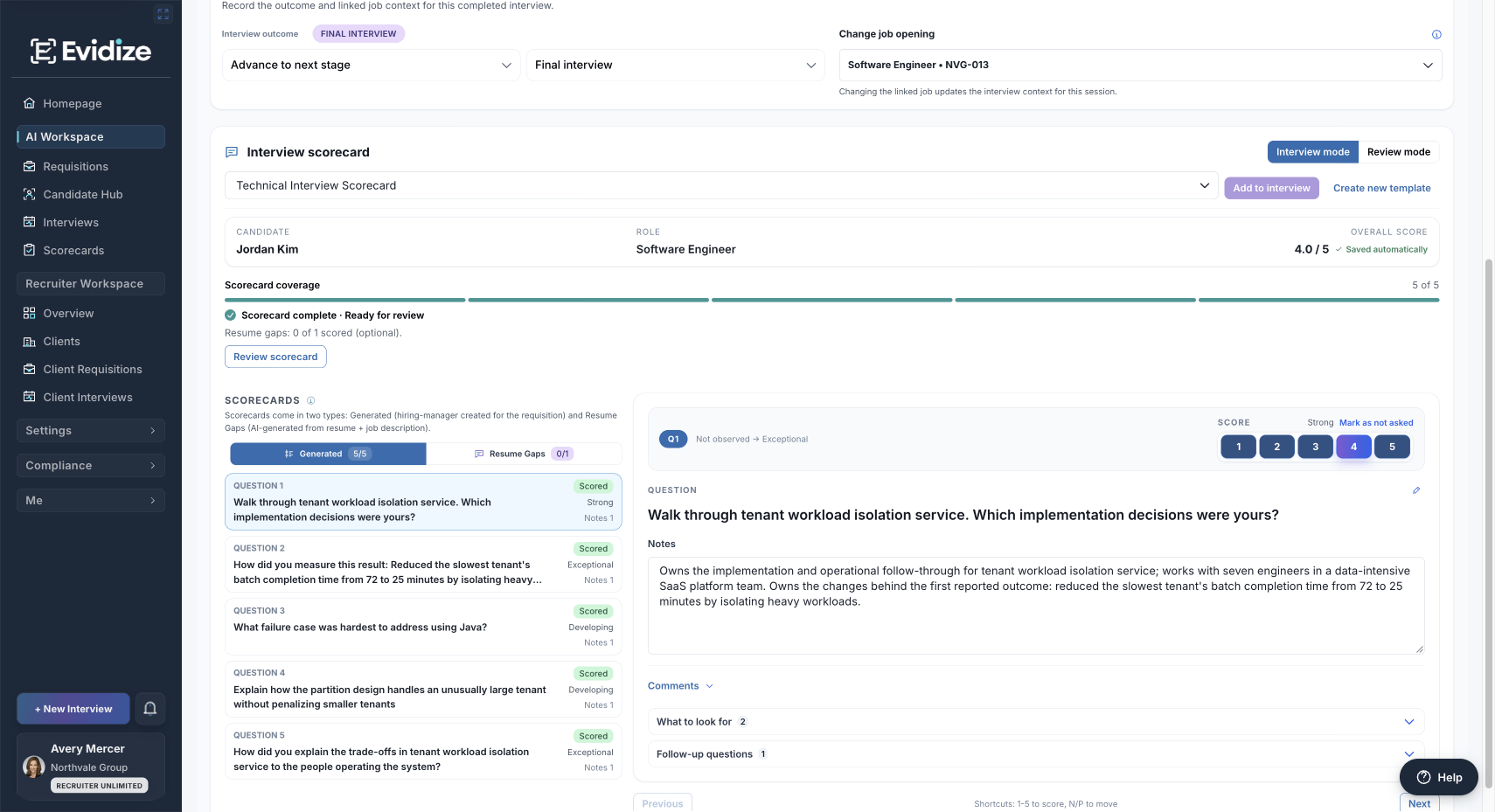
Product demonstration data. Ratings reflect reviewer judgment; the notes show what informed it.
Scroll the image horizontally when needed to read the detail.
View full product screenshot: A question, rating, and supporting notes →An example you can inspect
Inspect a completed demonstration question, its rating, and the reviewer’s supporting notes. The walkthrough connects those notes to the role and the next conversation.
Product demonstration data. Ratings reflect reviewer judgment; the notes show what informed it.
Scroll the image horizontally when needed to read the detail.
View full product screenshot: A question, rating, and supporting notes →An example you can inspect
Review the recorded observations, session coverage, and information available for follow-up. A signal starts a human review; it does not establish intent.
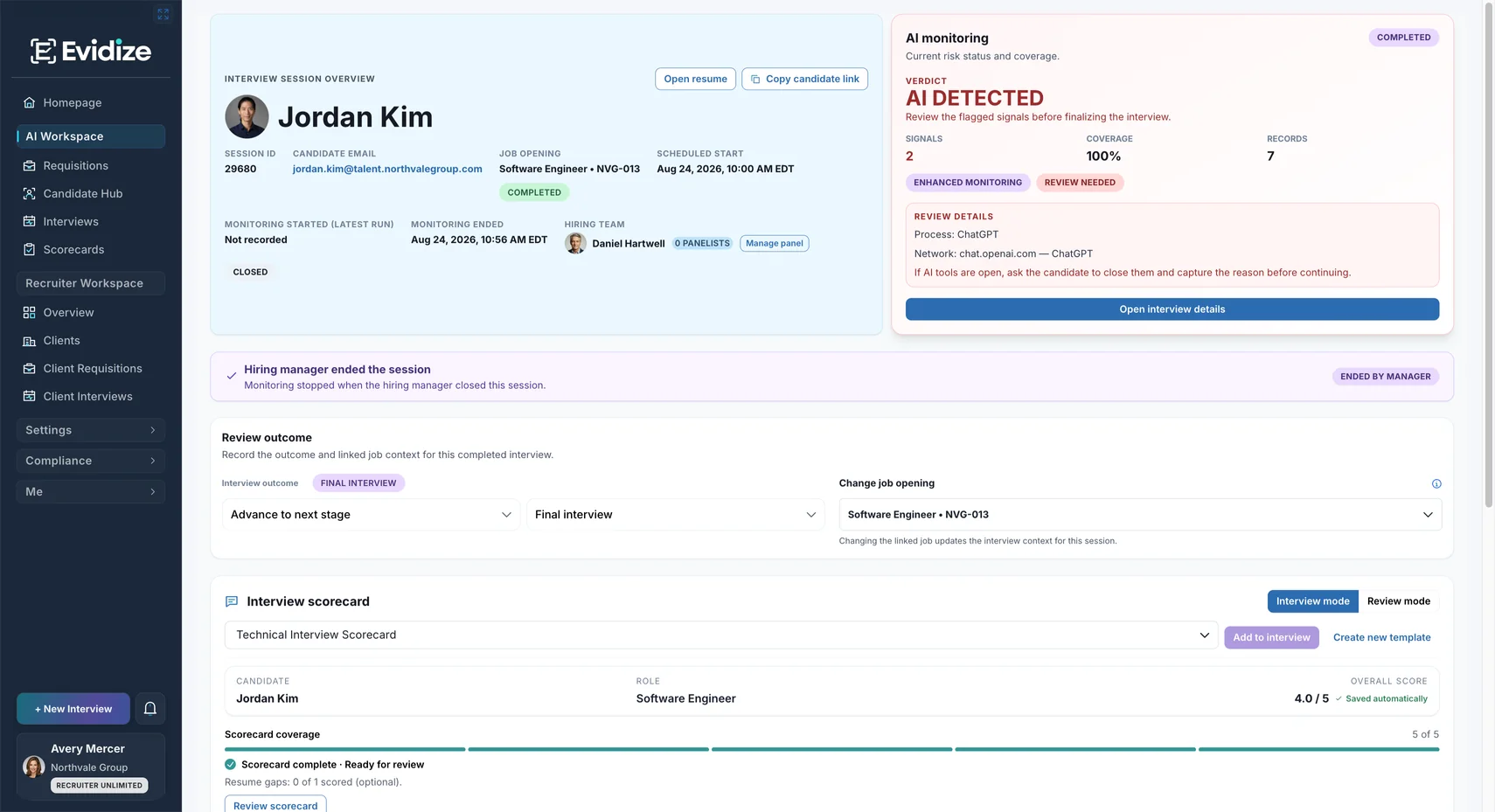
Product demonstration data. Coverage and observations describe this example, not detection accuracy.
Scroll the image horizontally when needed to read the detail.
View full product screenshot: A finding with session context →An example you can inspect
Read the same baseline, skills, and available scorecard evidence for two candidates. The walkthrough shows how a reviewer checks gaps before recording a next step.
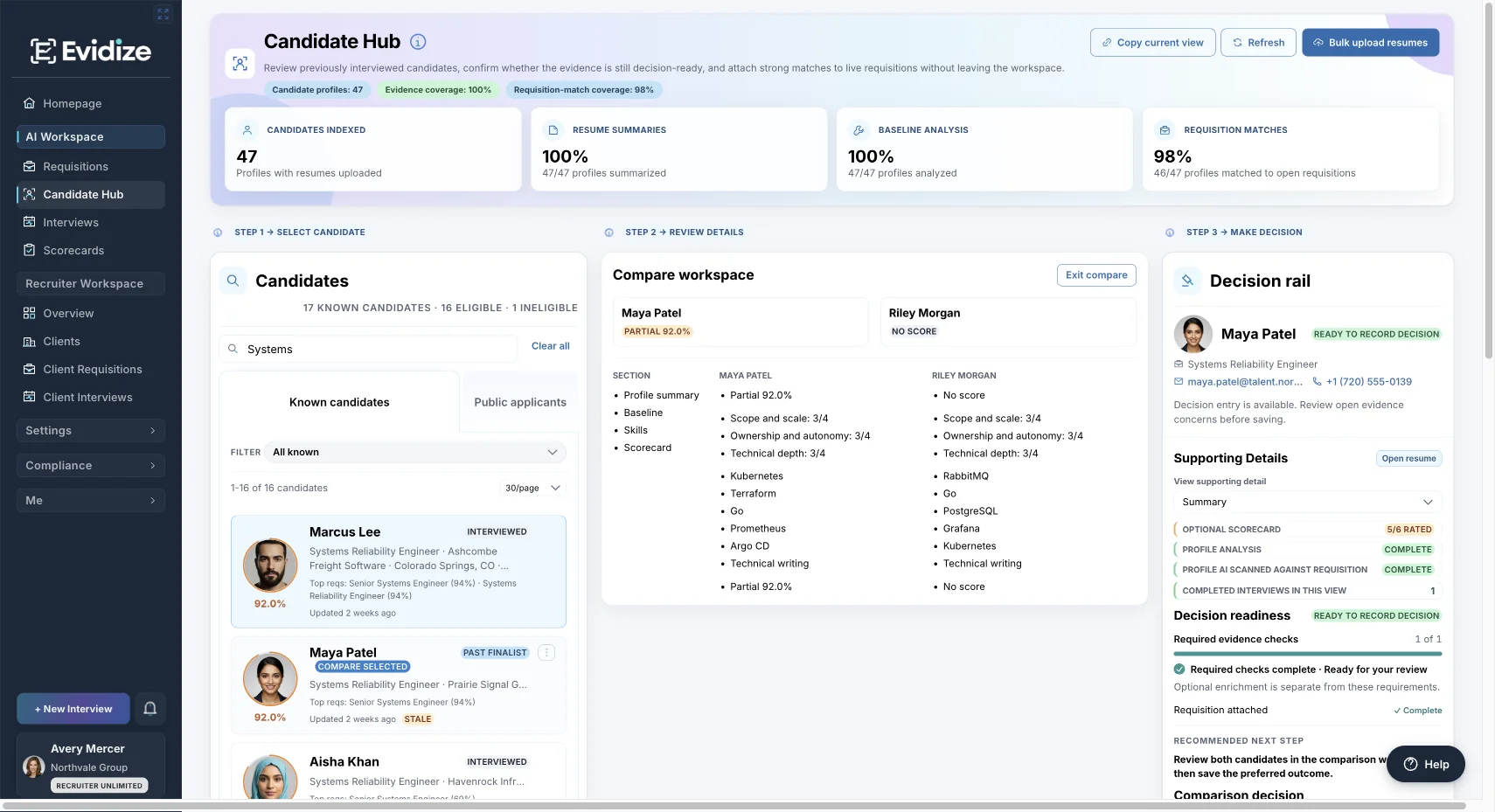
Product demonstration data. Partial or missing evidence stays visible; a score is not a hiring decision.
Scroll the image horizontally when needed to read the detail.
View full product screenshot: Two candidates, the same review criteria →An example you can inspect
The Senior Systems Engineer example connects deployment evidence with an unresolved question: which warehouse rollout checks were automated, and which still needed an operator?
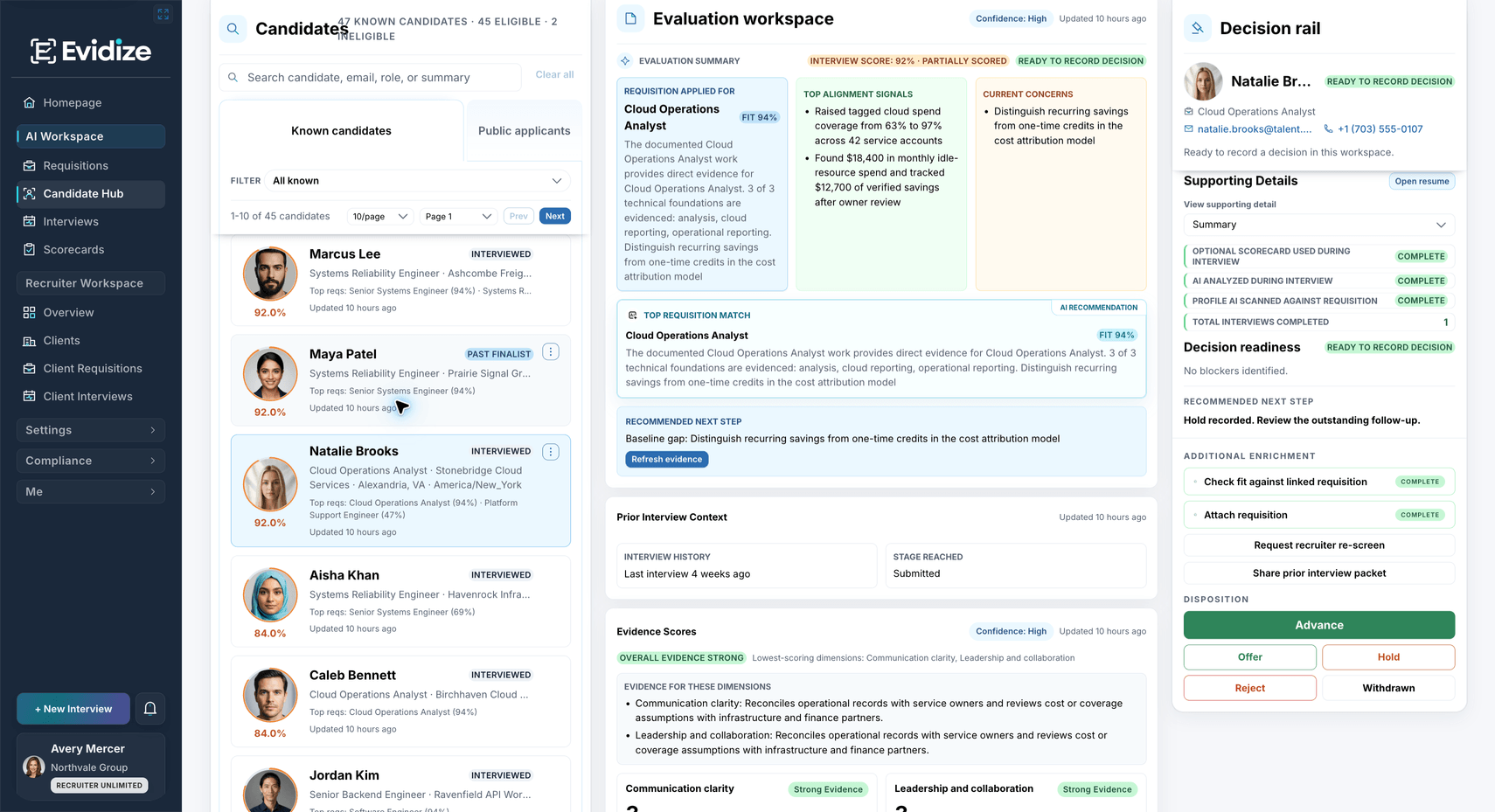
Product demonstration data. The open question remains visible alongside recorded alignment evidence.
Scroll the image horizontally when needed to read the detail.
View full product screenshot: Candidate context and the remaining question →An example you can inspect
Inspect the careers preview, then follow role-specific questions, applicant review, and recorded next steps in the walkthrough. A prepared role is enough to get started.
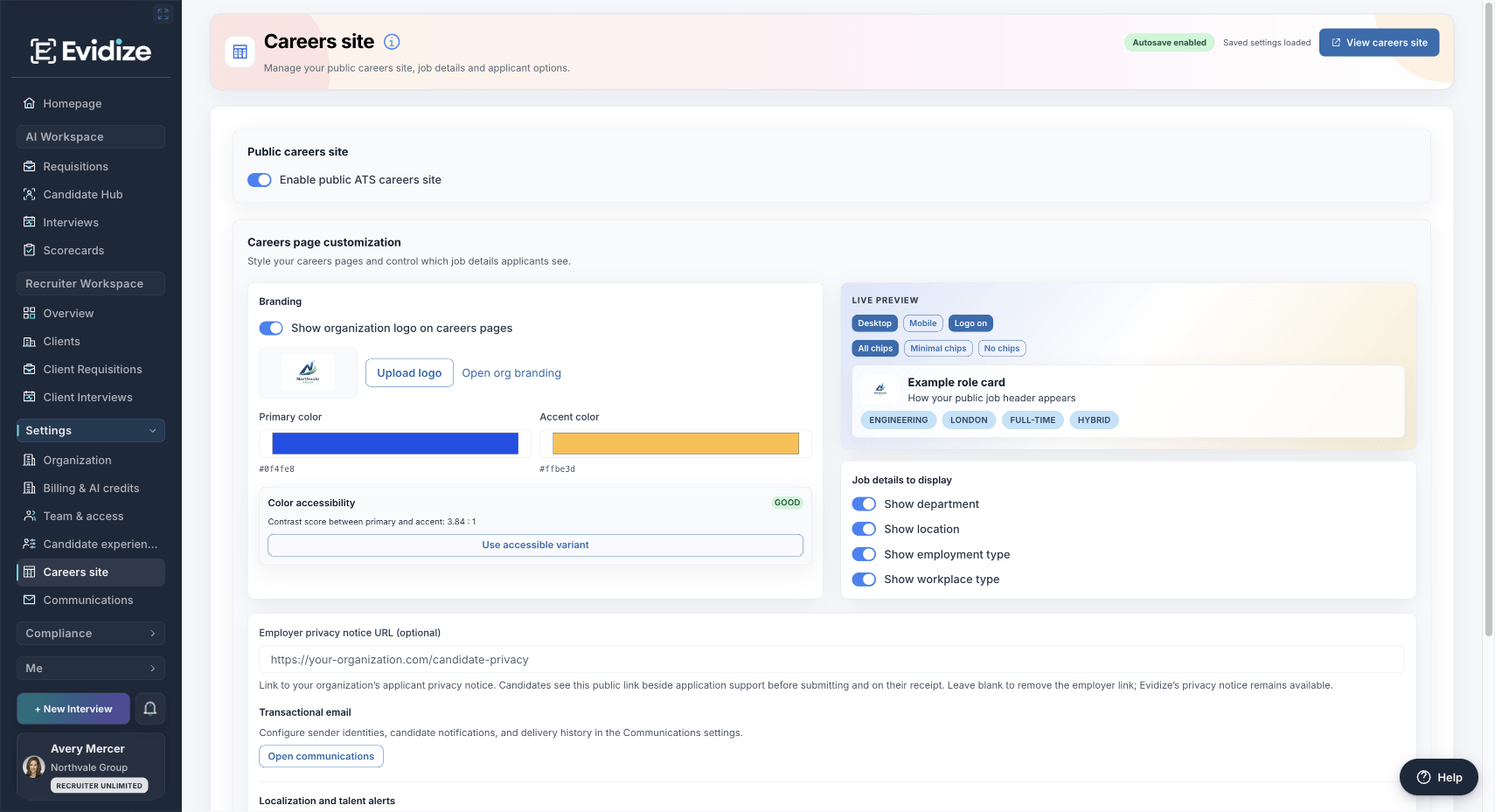
Product demonstration preview. The role card illustrates configured branding and visible job details.
Scroll the image horizontally when needed to read the detail.
View full product screenshot: The careers branding preview →An example you can inspect
Look at the acknowledgement time, notice version, and evidence state before exploring how authorized reviewers inspect activity and choose a report scope.
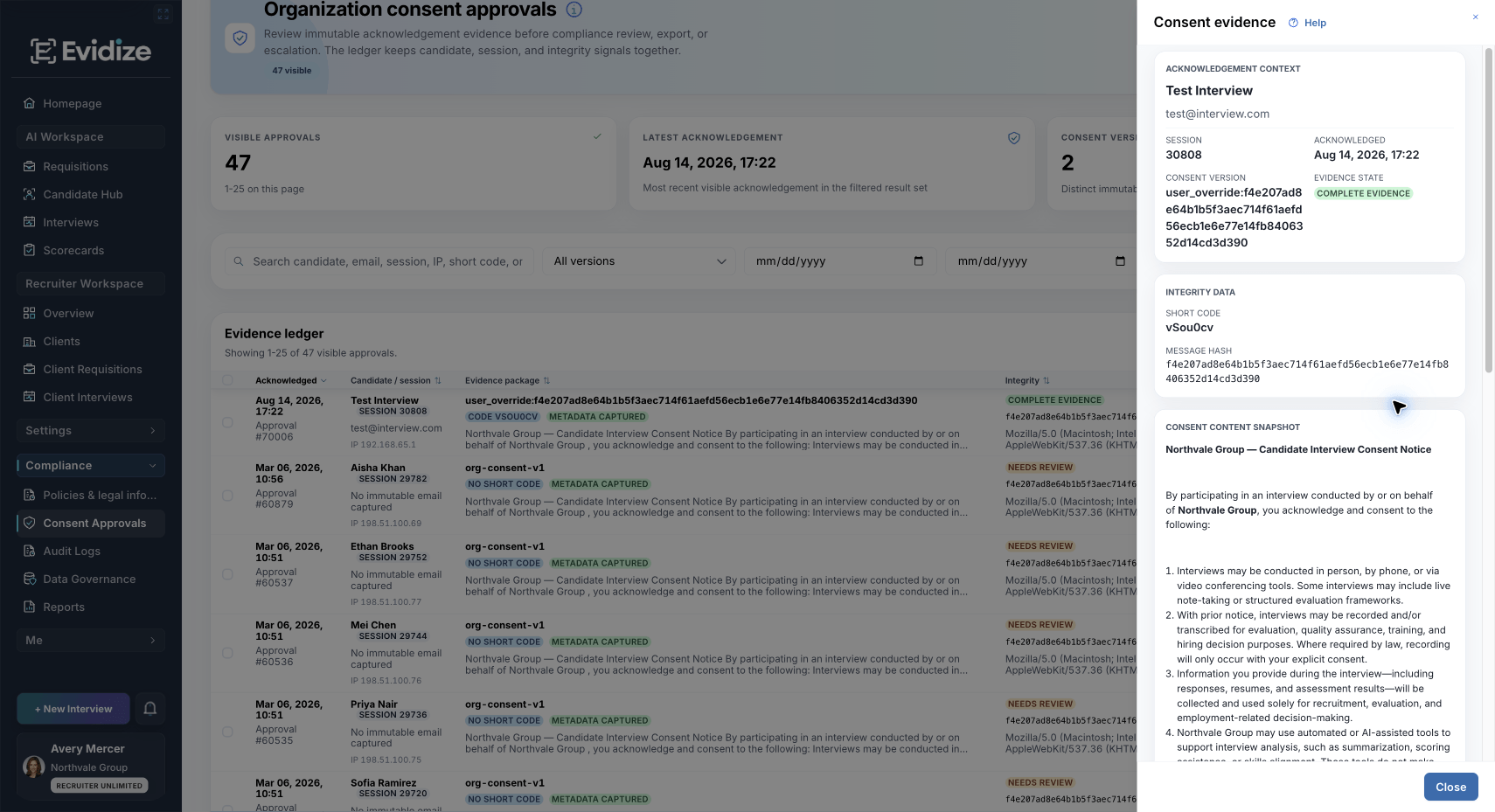
Product demonstration record. A recorded acknowledgement does not establish legal compliance.
View full product screenshot: Acknowledgement context and evidence status →An example you can inspect
See where the organizer starts in Outlook. The walkthrough then covers the details reviewed in Evidize and the protected-access invitation the organizer controls.
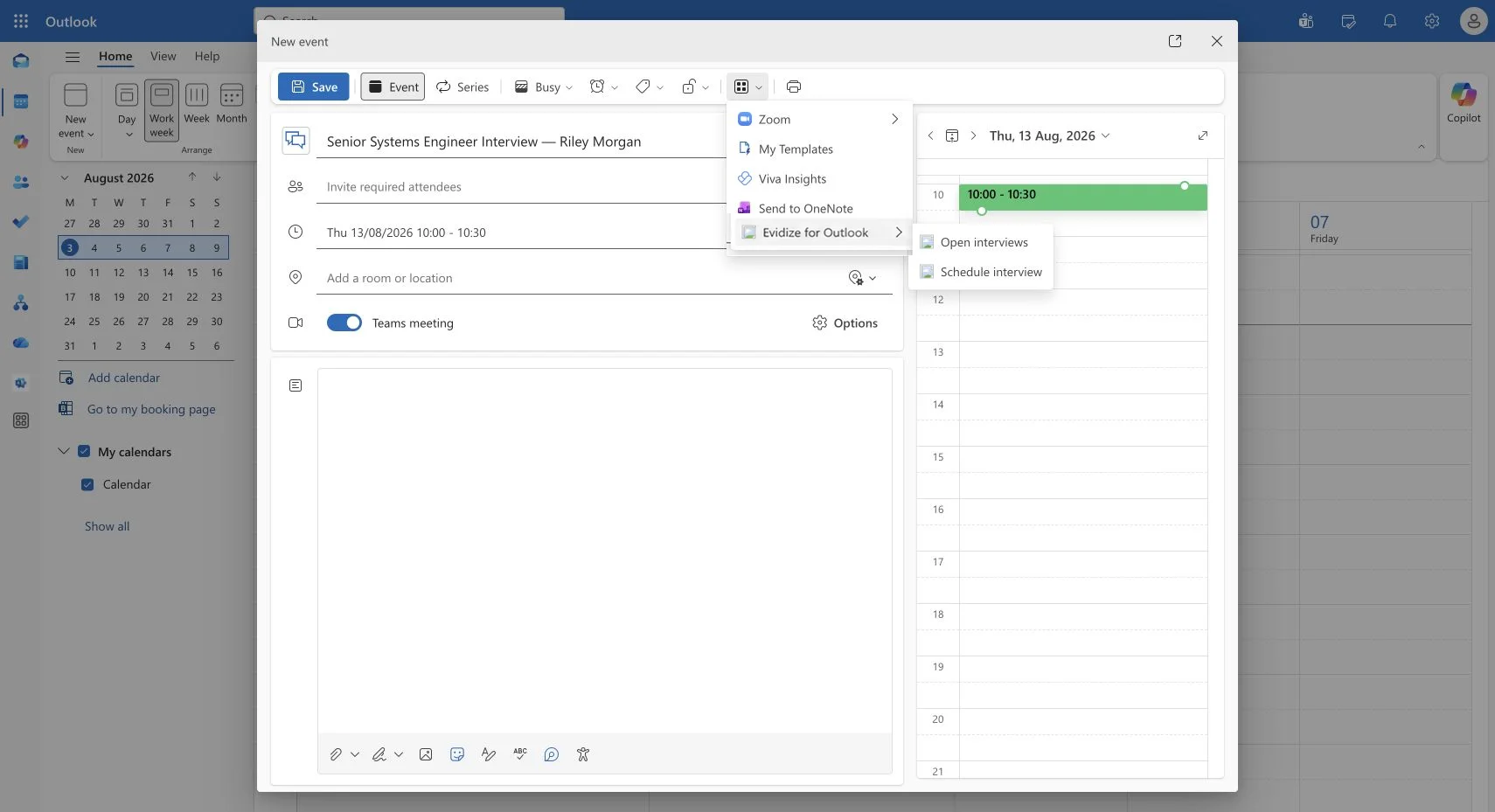
Actual Outlook workflow with demonstration data. The organizer reviews and sends the invitation.
Scroll the image horizontally when needed to read the detail.
View full product screenshot: The Outlook scheduling entry point →An example you can inspect
Compare the available candidate evidence, then explore how a recruiter explains the remaining questions. A separate illustrative client brief shows how that conversation can be structured.
Product demonstration data. The linked client brief is a separate illustrative resource, not an export.
Scroll the image horizontally when needed to read the detail.
View full product screenshot: Comparable evidence for the client discussion →An example you can inspect
Inspect the role and account-status controls, then discuss Microsoft sign-in, explicit identity linking, and the access checks that remain within Evidize.
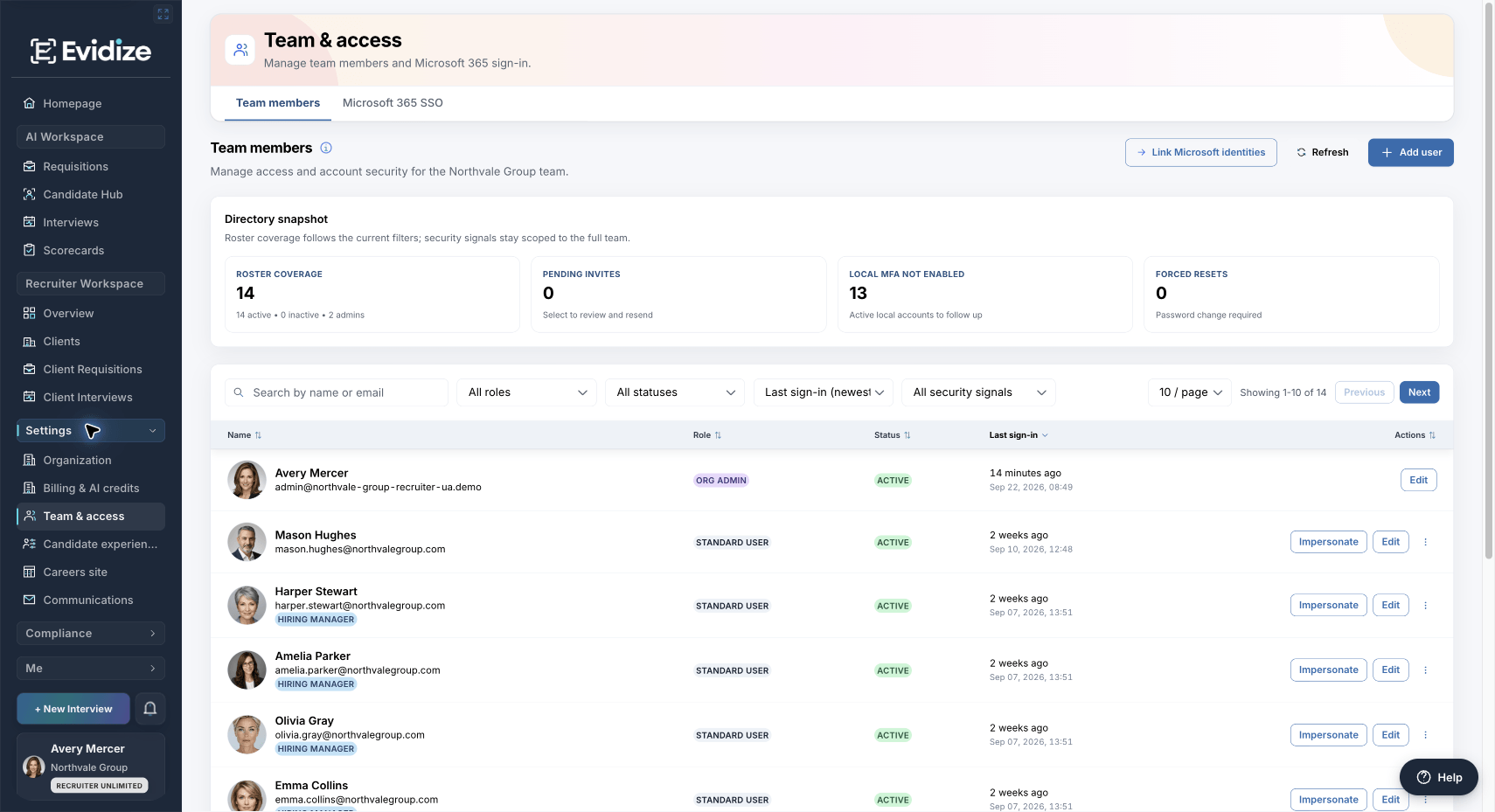
Product demonstration data. Microsoft authentication does not automatically assign an Evidize role.
View full product screenshot: Explicit product roles and account status →No preparation is required. We can use a prepared example. You may bring a role brief or describe a workflow if you want the conversation tailored. Do not send candidate records in a demo request.
Yes. Select your main hiring challenge on the booking page and optionally tell us what would make the demo useful. You can focus on candidate evidence, scorecards, interview protection, Outlook, agency operations, or identity and governance.
Start with the person evaluating the workflow. IT or privacy colleagues can join when those questions matter. The demo lasts 30 minutes and takes place on Microsoft Teams. A full stakeholder group is not required to start.
Choose an available time on Microsoft Bookings. You will receive a confirmation email with your Teams meeting link and options to reschedule or cancel. You can then decide whether the workflow and setup fit your team.
Start with one workflow
Explore a prepared example before deciding how Evidize would fit your team.